How To Connect School LinkedIn Learning Account to Personal Profile?
Learn how to connect your school LinkedIn Learning account to your personal profile. Access your certificates easily. Start now!
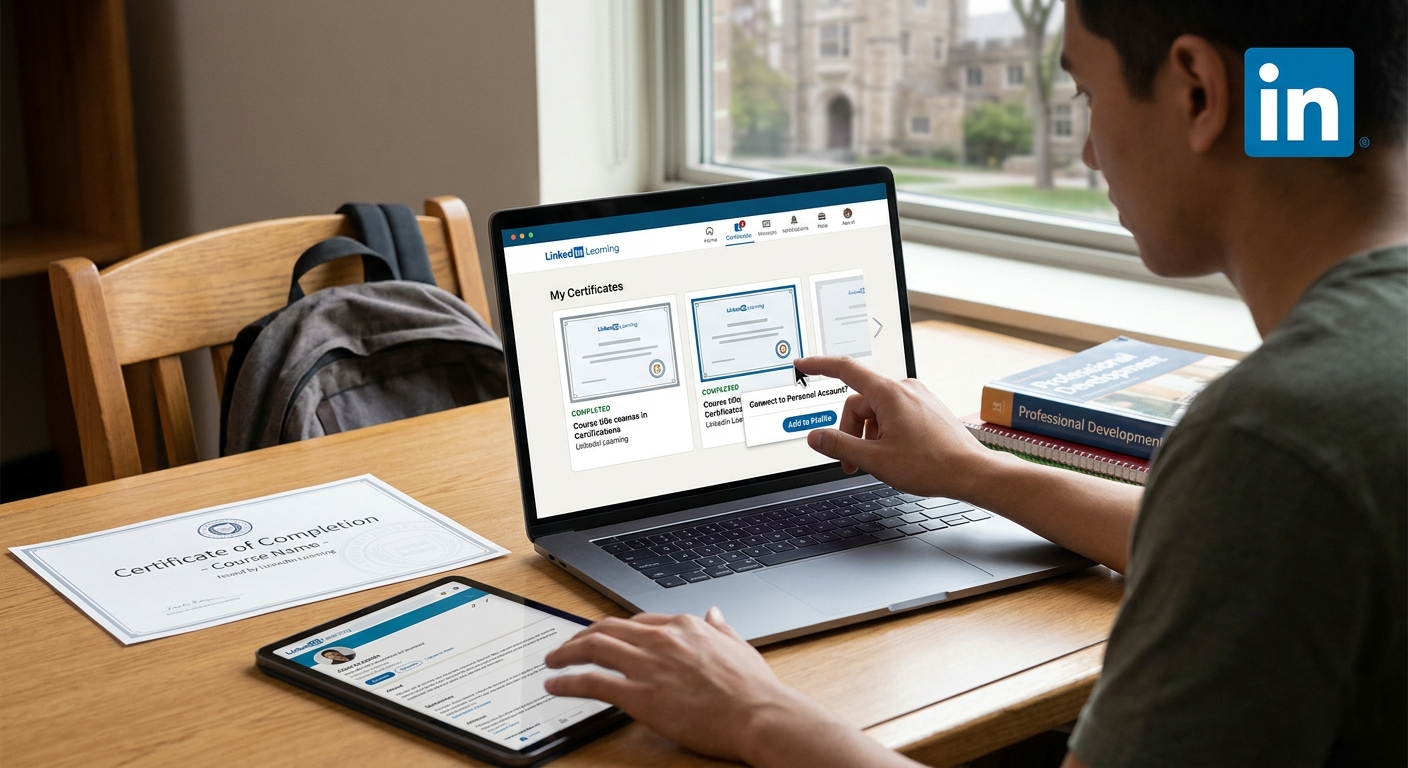
If you used LinkedIn Learning through your school and now you’re trying to figure out how to get those course certificates onto your personal LinkedIn account, you’re definitely not the only one. This is one of those things that sounds simple at first, but once you start clicking around, it can get confusing pretty fast.
The short version: sometimes you can connect or add your LinkedIn Learning certificates to your personal LinkedIn profile, but it depends on how your school set up access. In some cases, the learning history is already tied to your personal profile. In others, your school account is treated more like a separate enterprise or institutional login, which means you may need to manually save certificates, update your profile yourself, or contact support.
So if you’re wondering, “Can I merge my school LinkedIn Learning account with my personal LinkedIn account?” the more realistic answer is: you may not be merging accounts in the traditional sense, but you can often connect learning records, download certificates, or manually add them to your profile.
First, What’s The Difference Between LinkedIn and LinkedIn Learning?
This matters because a lot of people assume everything is stored in one place automatically.
LinkedIn profile: your personal professional profile, experience, education, skills, and certifications.
LinkedIn Learning: the course platform where you complete training and earn certificates of completion.
School-issued access: this is often provided through a university portal, library login, single sign-on, or institutional subscription.
If your school gave you access through a campus portal rather than directly through your own personal LinkedIn login, your course completion data may not automatically appear in your personal profile.
What Should You Check First?
Before trying to fix anything, ask yourself a few simple questions:
Did you sign in to LinkedIn Learning using your personal LinkedIn account?
Or did you log in through your school email, student portal, or library access page?
Do you still have access to that school account?
Can you still see your completed courses and certificates inside LinkedIn Learning?
Your answer changes the next step.
If Your School LinkedIn Learning was Already Linked To Your Personal LinkedIn
This is the easiest case. If your school access was connected to your actual LinkedIn profile, your certificates may already be available from inside LinkedIn Learning.
Try this:
Log in to LinkedIn Learning.
Go to your Learning History or completed courses.
Open a finished course.
Look for options like Add to Profile, Share, or Download Certificate.
If available, click Add to Profile and follow the prompts.
If the feature appears, that usually means the learning account is already connected closely enough to your LinkedIn profile for certificate sharing.
If Your School Access Was Separate From Your Personal LinkedIn Account
This is where most people get stuck. If your school provided LinkedIn Learning through a separate institutional login, there may not be a true “merge” option.
In that case, your best path is usually this:
Log into the school-provided LinkedIn Learning portal while you still have access.
Download each certificate you want to keep.
Manually add the certifications to your personal LinkedIn profile.
Save screenshots or records of course completion in case access expires after graduation.
That may not be the answer people hope for, but it’s often the safest and most practical route.
How Do You Manually Add A LinkedIn Learning Certificate To Your LinkedIn Profile?
If automatic syncing doesn’t work, you can still add the course manually under the Licenses & Certifications section of your profile.
Here’s a simple breakdown:
Open your personal LinkedIn profile.
Scroll to Licenses & Certifications.
Click Add.
Enter the course name exactly as it appears on the certificate.
For the issuing organization, use LinkedIn Learning.
Add the issue date.
If there is a credential URL, paste it there.
If no credential ID exists, you can usually leave that blank.
This won’t technically “merge” the accounts, but it does let you show your learning publicly on your personal profile.
What If You Can’t Access Your Certificates Anymore?
This can happen if your student access expired. If that’s your situation, try these options:
Contact your school’s IT desk, library team, or career services office and ask whether alumni still have temporary LinkedIn Learning access.
Check whether your school gave access through a public library partnership or alumni resource center.
Reach out to LinkedIn Learning Support and explain how the account was created.
When you contact support, be specific. Tell them:
the email used for school access
whether you ever connected a personal LinkedIn profile
whether you can still see completed courses
whether your goal is to retrieve certificates or sync them to your profile
The clearer you are, the faster support can usually tell you whether the records are transferable.
A Few Common Issues People Run Into
Different emails: your school email and personal LinkedIn email don’t match, which can cause confusion.
Single sign-on only: access works through the university portal, not through standard LinkedIn login.
No Add to Profile button: this usually means the learning subscription isn’t directly tied to your LinkedIn profile.
Expired student access: you finished the course, but now you can’t get back in to download proof.
If any of those sound familiar, don’t panic. It usually doesn’t mean the learning is lost forever, just that the process will be more manual.
Is Manually Adding Certificates Still Worth It?
Honestly, yes. A lot of recruiters and hiring managers care more about clear, relevant proof of learning than whether the certificate arrived through an automatic integration. If the course matters to your field, adding it manually is still useful.
You can also strengthen it by:
featuring the certificate in your Featured section
mentioning key course takeaways in your profile summary
applying the skills in your work examples, projects, or posts
LinkedIn itself also explains how certifications and profile sections work here: LinkedIn Help.
Helpful Resources If You Want To Dig Deeper
If you want extra context, these may help:
So, What’s The Best Answer?
If you’re trying to connect your school LinkedIn Learning account to your personal LinkedIn account, start by checking whether your school access was already linked to your personal profile. If it was, you may be able to use the built-in Add to Profile option. If it wasn’t, there may not be a true account merge, and your best move is to download certificates and add them manually.
It’s a little annoying, yeah, but it’s manageable if you go step by step. And if you still have school access right now, this is a good time to save everything before that window closes.
Read more on our blog and follow us on LinkedIn:
Evaluate your LinkedIn profile with exeedin
exeedin scores your LinkedIn profile and shows you exactly what to improve to stand out. Get your free profile evaluation in minutes. Evaluate my profile.