How Can You Tell if a Recruiter on LinkedIn Is Legit or Just Trying to Harvest Your Contact Info?
First check whether they work for the company directly or a staffing agency. Some collect candidate data or push job boards. See how to verify them.
If LinkedIn has started to feel more like a spam funnel than a professional network, you are definitely not imagining it. A lot of job seekers are running into the same issue: someone claims to be recruiting for a real company, asks for your phone number or email, and then suddenly you are getting pushed into random portals, newsletters, low-quality staffing lists, or “career services” you never asked for.
That is frustrating, and honestly, it can make the whole platform feel unreliable. If you are asking, “How do I know whether this recruiter actually works for the company they claim to represent?” the good news is that there are several practical ways to check before you share anything important.
Let’s break it down in a simple way.
Why this keeps happening on LinkedIn
LinkedIn is built around trust signals: job titles, company logos, mutual connections, and professional-looking profiles. That makes it easy for legitimate recruiters to connect with candidates, but it also makes it easier for bad actors to blend in.
Sometimes the person is not technically a scammer, but they are still misleading. They may be:
- Working for a third-party lead generation company
- Collecting candidate data to build mailing lists
- Pushing users toward a job board or resume service
- Using a famous company name to get replies
- Representing vague contract roles with very little transparency
So the real issue is not just fraud. It is also misrepresentation. And when your inbox is already busy, that kind of noise adds up quickly.
Make recruiters stop on your profile
Paste your profile link and see your score right away, with clear fixes for your headline, About section and experience. No account needed.
Or open the LinkedIn profile evaluator
First question to ask: Does this person actually work for the company?
Before you apply, reply, or hand over your contact information, start with the basics. Ask yourself:
- Is this recruiter employed directly by the company?
- Are they from a known staffing agency?
- Does their profile clearly explain their role?
- Can I verify this job somewhere outside their message?
A legitimate recruiter should not be offended by reasonable questions. In fact, a professional one will usually expect them.
How to verify a recruiter on LinkedIn
1. Check the recruiter’s profile carefully
Look beyond the headline. A fake or low-trust profile often has weak details. Here is what to review:
- Employment history: Does their current role match the company they claim to represent?
- Profile age and activity: Do they have a real posting history, comments, and engagement?
- Connections: Do they have connections with actual employees from that company?
- Profile photo and about section: Does the profile feel complete and consistent?
If someone says they are hiring for Microsoft, Amazon, or another recognizable employer, but their profile has almost no history, few connections, and no visible tie to that company, pause there.
2. Look them up on the company website
This is one of the easiest checks. Go to the employer’s official website and see whether:
- The job is listed on the company careers page
- The recruiter is named anywhere on the team page or press releases
- The contact email domain matches the company
If they are a third-party recruiter, that is not automatically a red flag. But they should be clear about it. For example, “I recruit on behalf of X company through Y staffing firm” is much more trustworthy than pretending to be internal.
You can also review LinkedIn’s own guidance on spotting suspicious behavior here: LinkedIn Help: Recognize and report scams, fake profiles, and suspicious messages.
3. Verify the email domain
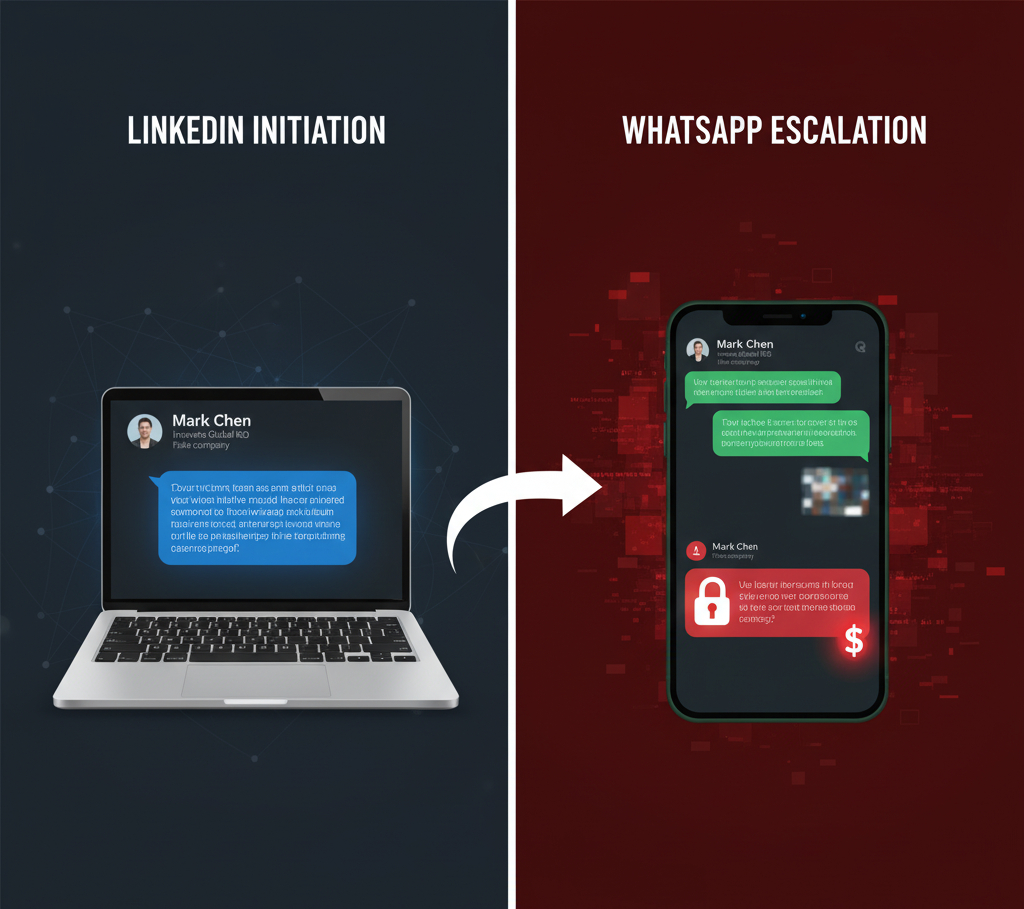
If they move the conversation off LinkedIn, check the email address closely. This matters more than people think.
A legitimate company recruiter will usually email from a company domain like @company.com. A staffing recruiter may use their agency’s domain, which is also fine if the agency is real and disclosed.
Be cautious if they use:
- Generic Gmail, Outlook, or Yahoo addresses for “official” hiring
- Misspelled company domains
- Domains that look similar to the company but are not exact
You can quickly inspect domain ownership using a tool like WHOIS Lookup if something feels off.
4. Find the job independently
If a recruiter sends you a role, do not rely only on their message. Search for the job yourself:
- Visit the company careers page
- Search the job title on LinkedIn Jobs
- Check trusted boards like Indeed or Glassdoor
If the role exists nowhere except inside a private message, that does not automatically mean it is fake, but it absolutely means you should ask for more proof before proceeding.
What are the biggest red flags?
Here are the warning signs that show up again and again:
- They rush you to share your phone number, personal email, or resume before explaining the role clearly
- The message is vague and sounds copied and pasted
- They avoid specifics like compensation, reporting structure, location, or employment type
- They push you to sign up for a portal or service that seems unrelated to the actual job
- They ask for unusual personal information too early in the process
- The company name is used loosely without a posted role, official email, or verifiable contact
One simple rule helps a lot: if the main goal of the conversation seems to be getting your data rather than discussing your fit for a job, step back.
What should you say to test whether the recruiter is real?
You do not need to be confrontational. Just be direct and calm. Here are a few useful questions:
- “Can you share the official job posting link?”
- “Are you an internal recruiter or working through an agency?”
- “What is your company email so I can follow up there?”
- “Can you confirm the hiring manager or department for this role?”
- “Before I share my number, can you send more details about the role and company?”
A real recruiter will usually answer these without making it weird. A bad one will often dodge, deflect, or keep trying to move you into a separate funnel.
How to protect yourself going forward
Use a separate job search email
If you are actively applying, it can help to create a dedicated email just for job search activity. That way, if spam starts building up, your main inbox is still protected.
Adjust your LinkedIn visibility settings
Review your profile settings and limit what public visitors can see. You can also manage message requests and connection preferences more carefully. LinkedIn has a privacy section worth revisiting every so often: LinkedIn Privacy Settings.
Do not give out your phone number too early
You are allowed to keep the conversation on LinkedIn or email until the role is verified. There is no rule saying you must jump to a call immediately.
Report repeat offenders
If someone is clearly misleading people, report the profile and message. It may feel small, but repeated reports do matter.
If you want a quick overview of common employment scam patterns, the FTC’s job scam guide is also useful.
What if the recruiter is from an agency?
That part matters too, because not every non-company recruiter is a problem. Plenty of excellent recruiters work in agencies. The difference is transparency.
A trustworthy agency recruiter will usually:
- Explain who they are representing
- Tell you whether the client name can be disclosed
- Share real job details
- Use a verifiable company email and website
- Not force you into random “services” before discussing the opportunity
So the better question is not just, “Are they from the company?” It is also, “Are they being honest about who they are and why they contacted me?”
A simple checklist before you reply
- Check the recruiter’s profile history
- Confirm whether they are internal or third-party
- Look for the role on the official company site
- Verify the email domain
- Do not share sensitive info too early
- Watch for pressure, vagueness, and sign-up funnels
If even two or three of these points do not line up, it is reasonable to walk away.
Final thought
LinkedIn can still be useful, but it does require a bit more filtering than it should. If recruiters are making the platform feel unusable for you, that is not you being paranoid. It is just a sign that you need a clearer process for verification.
The good news is that once you start checking profiles, domains, job listings, and message quality, the difference between a genuine recruiter and a contact harvester becomes much easier to spot.
And if your brand or team is thinking more broadly about trust, positioning, and better professional outreach on LinkedIn, this is exactly where EXEED Digitals comes in. We usually support businesses with LinkedIn strategy, profile credibility, outreach quality, and lead generation systems that do not feel spammy or misleading. Our LinkedIn agency, EXEED Digitals, has helped 100s of brands build stronger trust and get better results on LinkedIn without creating the kind of experience people are trying to avoid.
en