How Much Do LinkedIn Recruiter InMail Bundles Cost, and Are They Worth Buying for a Busy Solo Recruiter?
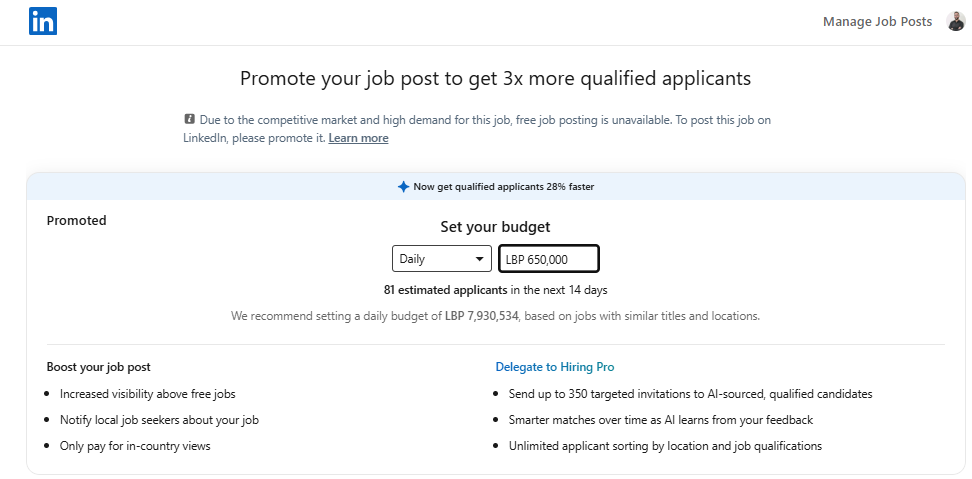
Pricing is usually custom and negotiated through sales. Around $20 per InMail is a common ballpark for small add-ons. See what affects the price.
If you’re a solo agency recruiter with a LinkedIn Recruiter license and you’ve suddenly hit a wall on InMails, you’re definitely not the only one. It happens fast. One busy month, a few urgent roles, a couple of hard-to-fill searches, and suddenly that monthly InMail allotment starts looking very small.
The short answer is this: yes, LinkedIn may offer additional InMail bundles, but pricing is usually custom, account-based, and often negotiated through sales. If you’re seeing a rough number around $20 per InMail, that’s not an unusual ballpark for smaller add-on volumes, but bundled rates can sometimes come down depending on account type, volume, contract length, and whether LinkedIn is trying to upsell you into a broader Recruiter package.
So if you’re asking, “What are people actually being quoted lately?” the honest answer is: it varies a lot. LinkedIn doesn’t always publish clear public pricing for extra InMail credits on Recruiter products, and many recruiters only get a quote after speaking with an account rep.
What affects the price of extra LinkedIn InMails?
If you’re trying to estimate what you might be charged, here are the main things that usually influence pricing:
Your current LinkedIn plan — Recruiter, Recruiter Lite, Sales Navigator, and Premium subscriptions all handle messaging limits differently.
Your contract structure — annual contracts can sometimes get better per-unit pricing than ad hoc add-ons.
How many credits you want — small top-ups may cost more per InMail than larger bundles.
Your region and account manager — quotes can differ by market and sales rep.
Whether LinkedIn wants to move you into a different tier — sometimes instead of giving a cheap InMail bundle, they may push a product upgrade.
That last point matters more than people think. In a lot of software sales environments, the “add-on” is less attractive than the bigger package the company wants you to adopt long term. So if you ask for more InMails, don’t be surprised if the conversation shifts into extra seats, upgraded Recruiter access, or another subscription tier.
Make recruiters stop on your profile
Paste your profile link and see your score right away, with clear fixes for your headline, About section and experience. Free to start, no account needed.
Or open the free LinkedIn profile checker
Is paying for more InMails actually the best move?
Maybe. But before spending more, it’s worth asking a few practical questions:
Are you consistently maxing out your monthly 150, or is this just a temporary spike?
What percentage of your InMails are getting replies?
Are you sending highly targeted outreach, or is volume masking a messaging problem?
Could some outreach be moved to connection requests, follow-ups, referrals, email, or employer brand content instead?
This is where a lot of recruiters save money. If reply rates are low, buying more credits may not solve the real issue. It can just increase spend.
For example, if you’re sending 150 InMails and getting weak response rates, a better fix may be:
Tightening your search filters
Improving your subject lines
Making the first two sentences more relevant
Reducing message length
Testing different outreach angles by role type
In other words, before paying for more InMails, it helps to check whether your current ones are working hard enough.
What have recruiters seen in real life?
Because LinkedIn bundle pricing isn’t always publicly listed, most real-world numbers come from recruiter communities, sales conversations, and one-off quotes. The rough range many people talk about is that small-volume add-ons can feel expensive on a per-message basis. That’s why your estimate of around $20 per InMail doesn’t sound unrealistic.
But there’s a catch: the effective cost of an InMail is not just what LinkedIn charges. It’s also what that outreach produces.
Let’s say:
You buy 50 more InMails at a relatively high rate
10 people reply
3 become active candidates
1 turns into a placement
In that case, even a pricey bundle could still be worth it if the role fee is strong. On the other hand, if the campaign is broad, unclear, or aimed at low-response talent pools, the cost can add up quickly without much return.
Better questions to ask LinkedIn before you buy
If you do contact LinkedIn sales, don’t just ask, “How much for more InMails?” Ask more specifically:
What is the per-InMail price at different bundle sizes?
Is there a discount if I prepay or commit for multiple months?
Do unused credits roll over?
Is there a better-value product tier for my current volume?
Can you share options for temporary overage versus permanent upgrade?
Are there response-credit rules or any credit replenishment mechanics?
Those questions usually get you closer to the real economics instead of just the headline quote.
Ways to stretch your existing InMail credits
If your workload has jumped and you need immediate relief, here are a few ways to make your current allowance go further:
1. Prioritize only the hardest-to-reach candidates
Use InMail where it matters most: passive talent, niche specialists, leadership hires, or people outside your direct network. Don’t waste paid outreach on people who may respond just as well to a connection request or email.
2. Use shorter, more human messaging
A lot of recruiter InMails are too long. Most people decide in seconds whether they care. A clear role summary, why they were selected, and one easy reply prompt usually works better than a wall of text.
3. Segment by candidate motivation
Not every candidate cares about the same thing. Some care about salary, some remote work, some team stage, some brand credibility. Messaging gets better when you lead with what is most likely to matter to that audience.
4. Pair LinkedIn with email and content
If someone sees your message and also sees strong recruiter credibility on LinkedIn, your odds improve. That means your profile, company page, job posts, and social proof all play a role in outreach performance.
5. Track reply rates by template
If one message gets twice the replies of another, that’s your signal. Small improvements in messaging often save more money than buying more volume.
Should a one-person agency upgrade instead of buying top-up InMails?
Sometimes yes, but not automatically. A temporary spike in hiring demand doesn’t always justify a full plan change. If this is a seasonal or short-term rush, a bundle may be enough. If this is becoming your new normal, then it may be worth reviewing whether your current Recruiter setup still fits how you work.
A simple way to decide is to look at the next 3 to 6 months:
If demand stays high, compare bundle costs against an upgraded plan.
If demand drops back down, a short-term add-on may be more sensible.
If your response rates are weak, focus on optimization before paying more.
A practical answer to the original question
So, if you’re asking what kind of bundle offers solo recruiters are being quoted recently, the most useful answer is probably this:
Expect LinkedIn extra InMail pricing to be negotiated rather than transparently listed, and don’t assume there’s always a generous bulk discount. Smaller bundles can still be expensive. If you’re currently estimating around $20 per InMail, that’s plausible enough that it’s worth validating with your rep rather than assuming a dramatic volume reduction will appear automatically.
And honestly, if you’re that busy, the smartest move is to look at both sides of the equation:
Can you get a better quote?
Can you make each message perform better?
That combo usually gives the best result.
Helpful resources if you’re comparing options
If you want to research LinkedIn product structure and recruiting outreach strategy a bit more, these are worth checking out:
Final thought
If you’re a recruiter running lean and busy, it makes sense to want a straightforward answer on InMail bundle pricing. Unfortunately, LinkedIn doesn’t always make that part simple. The best path is usually to get a direct quote, compare it against your placement economics, and improve outreach efficiency before scaling volume.
Write better LinkedIn content with exeedin
exeedin is an AI tool that helps you ideate, draft, and schedule content for your LinkedIn. Turn raw ideas into polished posts and stay consistent without the guesswork Try exeedin.