Why Is LinkedIn Asking for My ID to Create an Account, and Should You Trust It?
It is normal and generally safe on LinkedIn's real site or app. ID checks fight fake accounts and often trigger on VPNs, shared WiFi or flagged networks.
So you sat down, ready to finally build your LinkedIn profile, maybe because a professor told you to or because you saw everyone else in your class networking already. And then LinkedIn hits you with a request for your government ID before you can even finish signing up. Weird, right? A little unsettling too.
You are not alone in this. A lot of students and new users have been running into the same thing lately, and the reaction is almost always the same: "Wait, is this normal? Is this even safe?"
Short answer: yes, it is normal in many cases, and yes, it is generally safe as long as you are actually on LinkedIn's real website or app. But there is a lot more to unpack here, so let's walk through it properly.
Why Is LinkedIn Asking for ID Verification in the First Place?
LinkedIn has been fighting a massive wave of fake accounts over the past few years. We are talking about bots, scam profiles, fake recruiters, and AI-generated personas that flooded the platform. According to LinkedIn's own transparency reports, the platform blocks tens of millions of fake accounts every year, and a huge chunk of those are stopped at the registration stage.
To fight this, LinkedIn started rolling out identity verification. Sometimes it happens after you create your account, but in certain situations it happens right at signup. Here is when that usually kicks in:
Your signup looks unusual to their system. Maybe you are using a VPN, a shared network like a university campus WiFi, or a brand new email address with no history.
Your region requires it. Some countries have regulations or higher fraud rates, so LinkedIn applies stricter checks there.
Your device or IP has been flagged before. If someone previously created spam accounts from the same network, you might get caught in that net.
Random security checks. Sometimes it is simply part of a broader rollout of verification for new accounts.
So no, it is not that LinkedIn thinks you personally are suspicious. It is more that the internet in general has become a rough place for professional platforms, and they are trying to make sure real humans are behind new profiles.
Once you're back in, make your profile count
Paste your profile link and see your score right away, with clear fixes for your headline, About section and experience. Free to start, no account needed.
Or open the free LinkedIn profile checker
Is It Actually Safe to Give LinkedIn Your ID?
This is the real question, and it deserves an honest answer rather than a shrug.
LinkedIn does not typically handle your ID directly. In most regions, they partner with third-party identity verification services like CLEAR or Persona, depending on where you live. These are established identity verification companies that also work with airports, banks, and government-adjacent services.
A few things worth knowing before you upload anything:
Your ID is not displayed on your profile. Nobody browsing LinkedIn will ever see your document. At most, verified profiles get a small checkmark or badge.
The data is used for verification, not marketing. LinkedIn states the verification data is used to confirm identity, and the third-party providers have their own retention policies you can review.
It is becoming standard practice. Platforms like Tinder, Airbnb, and even X have introduced similar ID checks. This is where the internet is heading, whether we love it or not.
That said, healthy skepticism is a good instinct. So let's talk about how to make sure you are not being scammed.
How Do You Know the ID Request Is Legitimate and Not a Phishing Scam?
This part matters more than anything else in this post. The request itself is normal, but scammers love to imitate exactly this kind of flow. Here is your checklist before uploading anything:
Check the URL. You should be on linkedin.com or inside the official LinkedIn app downloaded from the App Store or Google Play. Not a link someone sent you. Not a lookalike domain like "linked-in-verify.com".
Never verify through an email link you did not expect. If you got an email asking you to verify your identity, do not click it. Instead, open LinkedIn directly yourself and see if the request appears there.
Look at the verification partner. If LinkedIn hands you off to a verification provider, it should clearly name the company, and you can Google that provider in a separate tab to confirm it is real.
No legitimate verification asks for payment. If anything in the flow asks for money, close the tab immediately.
If you want a deeper look at how phishing scams imitate real platforms, the FTC has a solid guide on how to recognize and avoid phishing scams. Worth five minutes of your time, honestly, especially as a student who will be job hunting soon and dealing with lots of recruiter messages.
What If You Really Do Not Want to Upload Your ID?
Fair enough. Not everyone is comfortable with this, and that is a valid position. Here are your realistic options:
Try signing up from a different network. If you were on campus WiFi or a VPN, switch to your home network or mobile data. Sometimes the ID requirement disappears because the signup no longer looks risky.
Use a phone number verification instead. In some flows, LinkedIn accepts phone verification as an alternative. Make sure you use a real number, not a temporary or virtual one, since those often trigger the ID request in the first place.
Try the official mobile app. The signup flow on the app sometimes differs from the browser flow.
Wait and try again later. Verification requirements are not always permanent, and rollouts change.
Contact LinkedIn support. If nothing works, you can reach out through the LinkedIn Help Center and explain your situation.
One thing I would strongly advise against: do not try to bypass verification with fake documents or borrowed IDs. That is a fast track to a permanently restricted account, and rebuilding a banned LinkedIn presence is genuinely painful.
Is a Verified LinkedIn Account Actually Worth the Hassle?
Here is the flip side that most frustrated new users miss: verification actually works in your favor once you get past it.
Think about it from a recruiter's perspective. They are drowning in fake profiles and AI-generated applicants. A verified account with a real identity badge instantly stands out as trustworthy. Some studies and LinkedIn's own data suggest verified profiles get more engagement and more profile views, simply because people trust them more.
For a student specifically, here is what a verified, well-built LinkedIn account unlocks:
Internship opportunities that never get posted on job boards
Direct access to alumni from your school working at companies you dream about
Credibility with recruiters who filter out unverified or empty profiles
A professional footprint that grows with you instead of starting from zero after graduation
If you want a good primer on setting up your profile the right way once you get in, this YouTube search for LinkedIn profile tips for students has plenty of walkthroughs from career coaches that are actually helpful.
So What Should You Do Right Now?
Let me give you the short, practical version:
Confirm you are on the real linkedin.com or the official app
If yes, the ID request is legitimate and safe to complete
If you are uncomfortable, try a different network, phone verification, or the app
Never verify through unexpected email links, and never pay anyone for verification
Once you are in, treat verification as a feature, not a punishment, because it makes your profile more credible
The internet is moving toward proof of humanity everywhere, and LinkedIn is just ahead of the curve here. Annoying at signup, useful in the long run.
One Last Thing Before You Go
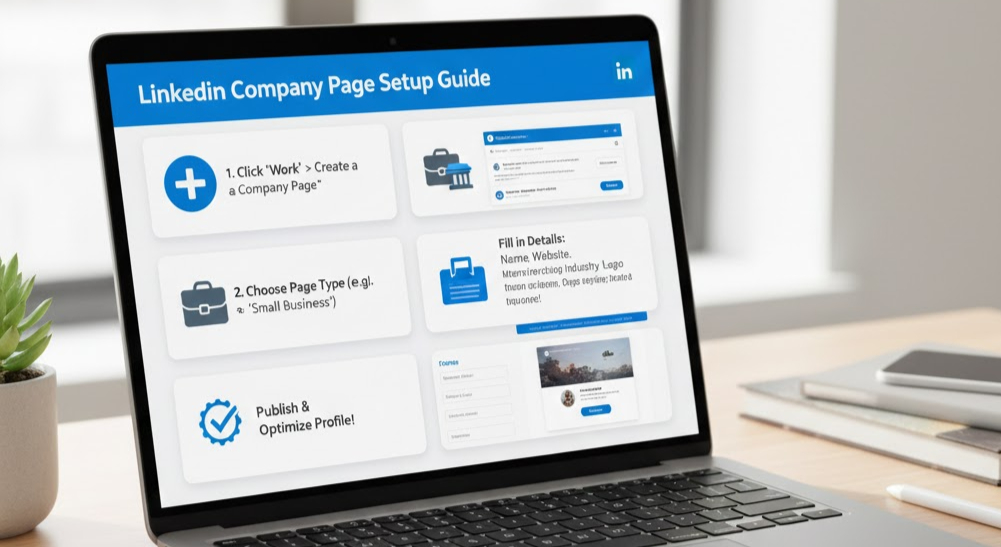
Getting your account created is honestly the easy part. The harder part, and where most students stall, is actually using LinkedIn well. Posting consistently, connecting with the right people, and turning your profile into something that works for you instead of just sitting there.
That is exactly the problem we built exeedin to solve. It is a LinkedIn SaaS that helps you grow your presence, stay consistent, and get real results from the platform without spending hours every day figuring out what to post or who to reach. Once your shiny new verified account is live, exeedin is the tool that helps you actually go somewhere with it.
So verify that ID, get your account up, and then let exeedin handle the heavy lifting of turning LinkedIn from a chore into an advantage. Good luck out there.