Why Won’t LinkedIn Stack Multiple Roles Under One Company, and What Can You Do About It?
If you’ve been trying to group multiple jobs under one employer on LinkedIn and it still refuses to stack them, you’re not imagining things. This is one of those oddly common LinkedIn problems that sounds simple but can get weirdly stubborn. You match the company name, you double-check the dates, you remove extra fields, and still nothing. It’s frustrating, especially when you’ve seen the same thing work perfectly under another company on your profile.
The short answer is this: LinkedIn stacking depends on more than just typing the same company name twice. It usually works when LinkedIn recognizes that both roles are connected to the exact same company page and when the date structure doesn’t create conflicts. But there are also edge cases where the platform just behaves inconsistently.
So if you’re stuck, here’s a practical breakdown of what’s probably happening and what you can do next.
What does “stacking” on LinkedIn actually mean?
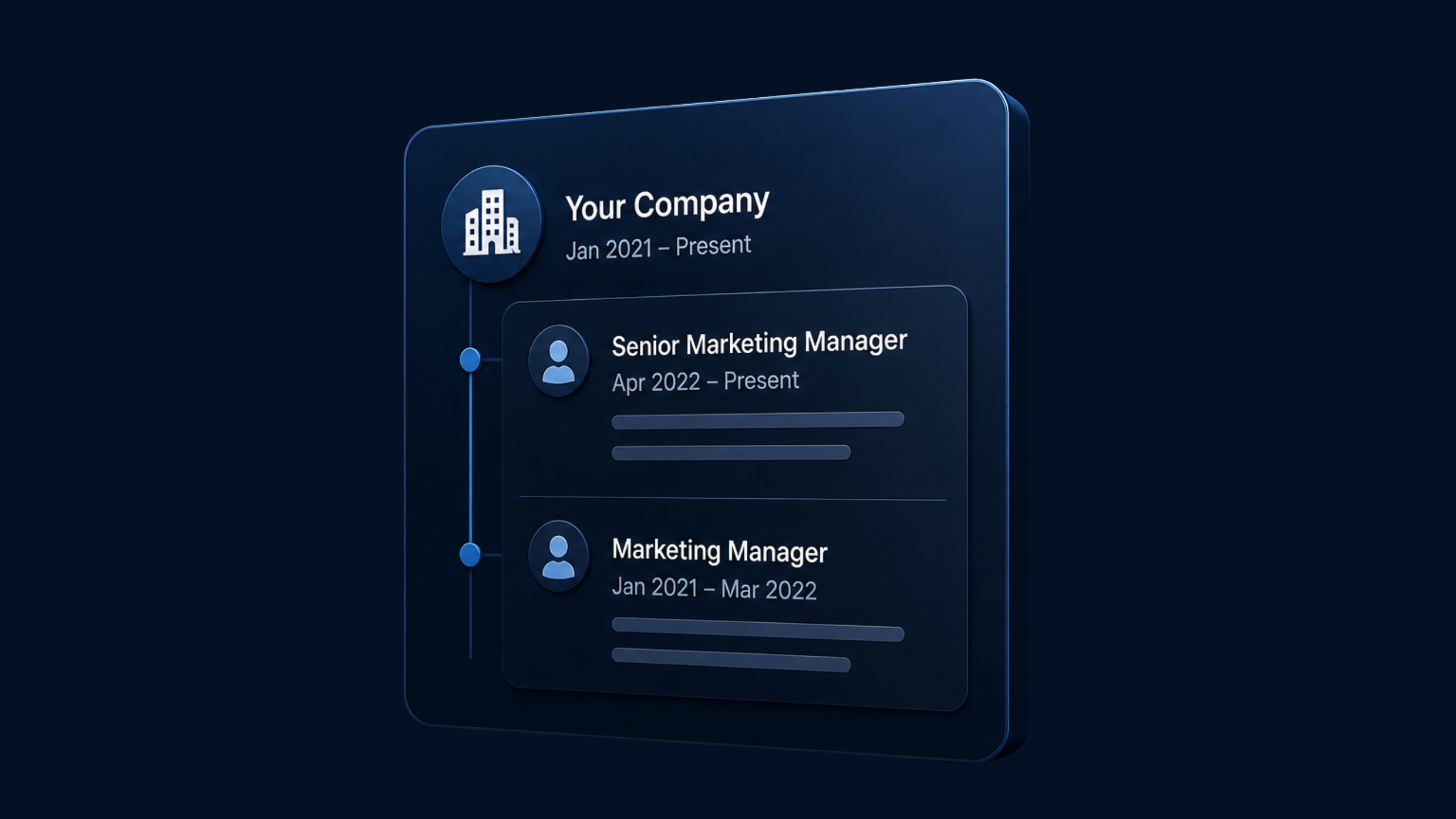
On LinkedIn, stacking happens when two or more positions appear grouped under one company header instead of showing as completely separate experience entries. It usually looks cleaner and tells a better career story, especially if you were promoted, changed departments, or returned to the same employer later.
For example, instead of this:
Company X — Marketing Specialist
Company X — Senior Marketing Specialist
LinkedIn may display:
Company X
Marketing Specialist
Senior Marketing Specialist
That grouped format is useful because it signals progression. It also makes your profile easier to scan.
Why LinkedIn may not be stacking your roles
Even when it seems like everything should work, a few hidden issues can prevent stacking.
1. The company page connection may not actually match
This is the most common problem. LinkedIn doesn’t only look at the text you typed in the company name field. It often relies on whether both roles are attached to the exact same LinkedIn company page.
That means these can break stacking:
One role linked to the official company page, while the other is just typed manually
A slight variation tied to a different company page
A company page that changed names, merged, or has duplicate versions
Even if the text looks identical to you, LinkedIn may treat the entries as different records behind the scenes.
2. The dates may create a conflict
Stacking usually works best when the roles are sequential within the same employer. If there is overlap, a gap, or a date entry that LinkedIn reads strangely, it may refuse to group them.
Questions worth asking yourself:
Did one role end in the exact same month the next one started?
Do you have one role marked as current by mistake?
Did you enter years but not months for one role?
Is there a break in employment long enough that LinkedIn sees them as separate stints rather than one progression?
Sometimes a small date inconsistency is enough to stop the stack.
3. One entry may include data that changes how LinkedIn reads it
Fields like employment type, location, media, industry alignment, or job description usually should not matter much, but sometimes they do. LinkedIn is not always transparent about how its profile formatting logic works.
If one role is attached to a different location, brand division, or employment type, LinkedIn may decide not to nest it under the same company block.
4. LinkedIn can simply be inconsistent
This is not the most satisfying answer, but it’s real. Plenty of LinkedIn profile behaviors are inconsistent across accounts. You may have three roles stacked nicely under one company and then see two similar roles under another company refuse to cooperate for no obvious reason.
That doesn’t mean you’re doing anything wrong. It may just be a platform limitation or temporary display issue.
What you can try, step by step
If nothing has worked so far, try this clean process instead of adjusting random fields one at a time.
Step 1: Confirm both roles are linked to the exact same company page
Edit each position and click into the company field. Make sure you select the company from LinkedIn’s dropdown rather than typing it manually. If the company has multiple versions or old pages, choose the one that matches your other role exactly.
A helpful reference from LinkedIn’s Help center is here: LinkedIn Help.
Step 2: Standardize the dates
Use months and years for both roles. Make sure the first role ends before or exactly when the next role begins. If you returned to the company after a long break, LinkedIn may display the positions separately even if they’re under the same employer, and that may be normal.
Try this structure:
Role 1: January 2021 – March 2023
Role 2: April 2023 – December 2024
Keep it neat and sequential.
Step 3: Remove extra variables temporarily
For troubleshooting, simplify both entries as much as possible:
Same company page
Clear dates
Standardized location if relevant
No unusual custom formatting in descriptions
Save the entries and check your public profile view.
Step 4: Delete and rebuild one entry
If one specific position seems “stuck,” copy the description into a note, delete that role, save your profile, then recreate it from scratch. This can help if the entry has old metadata attached to it.
Yes, it’s annoying. But it does solve weird LinkedIn formatting issues more often than people expect.
Step 5: Give LinkedIn a little time
Sometimes profile changes do not update perfectly in real time. Save the edits, refresh later, log out and back in, and check from another browser or device.
If you want a broader discussion from real users, Reddit threads like the original post often reflect how common these display bugs are. You can also browse professional profile advice from sources like HubSpot’s LinkedIn profile tips.
Step 6: Contact LinkedIn support
If the roles should clearly stack and still don’t, it may be time to report it. LinkedIn support is not always fast, but if the issue is tied to a company page mismatch or a profile display bug, they may be able to help.
You can also review LinkedIn’s official troubleshooting areas here: LinkedIn support resources.
What if you worked at the same company in totally separate periods?
This is where things get a little nuanced. If you worked at the same company, left for a while, and then came back, LinkedIn may or may not group the roles depending on how it interprets the dates and relationship between positions.
So ask:
Was this a promotion path inside one continuous employment period?
Or was this a return to the company after a break?
If it was a return after leaving, separate entries may actually be more accurate and clearer to profile viewers.
Does stacking really matter that much?
Honestly, yes and no.
It matters because:
Your profile looks cleaner
Career progression is easier to understand
Recruiters can scan your background faster
But it does not matter enough to distort your dates or job history just to force a visual result. Accuracy always comes first.
If LinkedIn won’t stack the roles, your best backup is to write clear job titles and descriptions that show progression naturally. For example, mention promotion, internal transfer, or rehire status directly in the position descriptions.
A simple profile wording workaround
If LinkedIn keeps separating the roles, try using your descriptions to make the relationship obvious:
Senior Analyst — Promoted from Analyst after leading reporting automation project
Analyst — Joined team to support operations and data reporting
That way, even without the stacked layout, the story still makes sense.
One more thing: company page quality can affect profile presentation
If the employer’s LinkedIn page is outdated, duplicated, or inconsistently named, that can create profile issues for current and former employees. This is especially common with smaller businesses, rebrands, franchise structures, and acquisitions.
That’s part of the reason why LinkedIn profile management is not always just about filling in fields. Sometimes it’s about understanding how your profile interacts with company pages, search visibility, and recruiter behavior.
If you want to learn more about improving profile structure generally, this video may help: LinkedIn profile tips on YouTube.
Final thought
If LinkedIn is not stacking multiple roles under one company, the most likely cause is that the entries are not truly connected to the exact same company page, the dates are creating a formatting conflict, or LinkedIn is just being inconsistent. Start with the company page selection, clean up the dates, rebuild the entries if needed, and only then escalate to support.
Evaluate your LinkedIn profile with EXEED AI
EXEED AI scores your LinkedIn profile and shows you exactly what to improve to stand out. Get your free profile evaluation in minutes. Evaluate my profile.