How to See Who Viewed Your LinkedIn Profile (Free and Premium)
Open your profile, scroll to Analytics and click profile views. Free accounts see three recent viewers from 90 days; Premium sees up to 365 days. Here is what private mode changes.
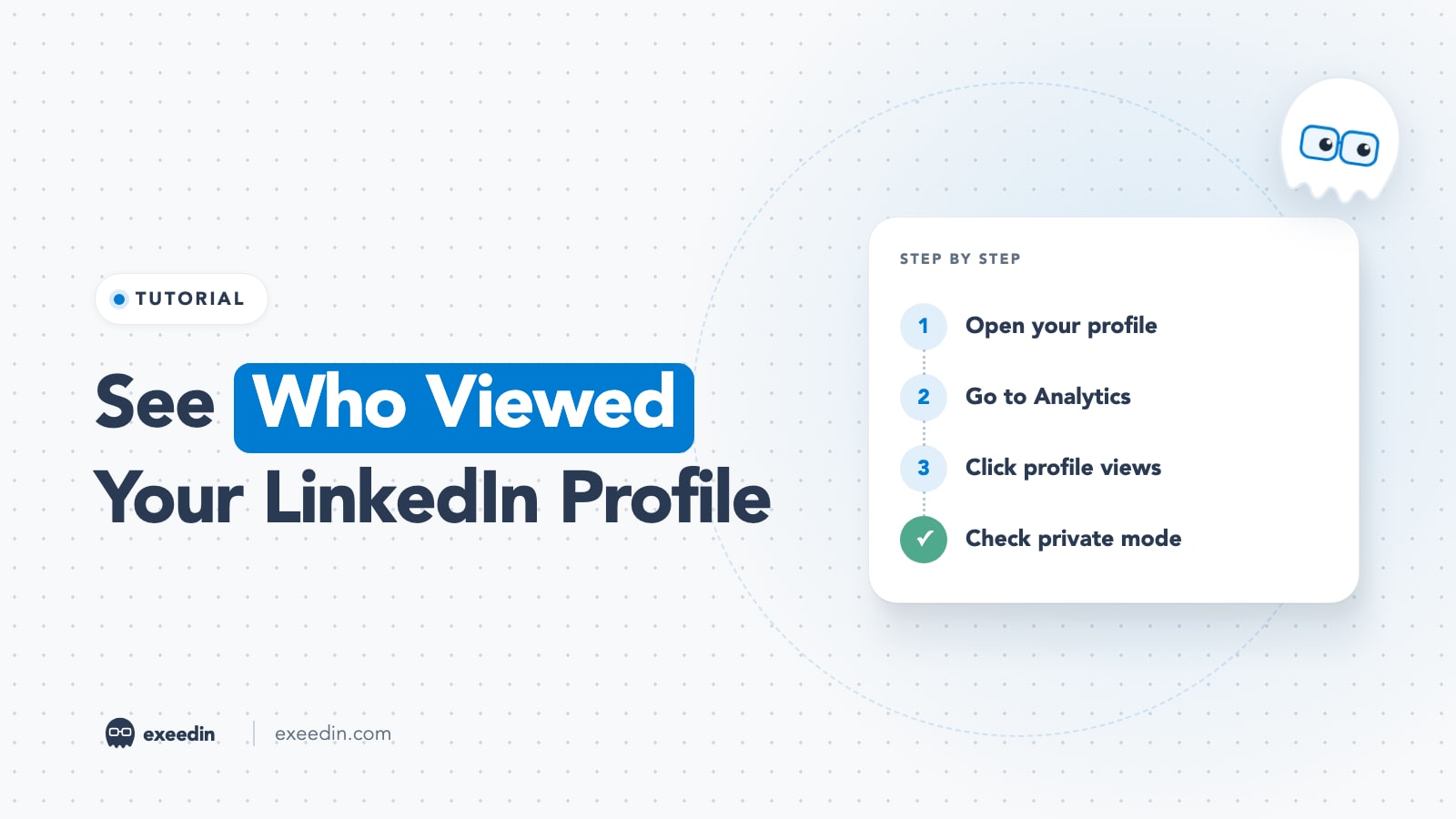
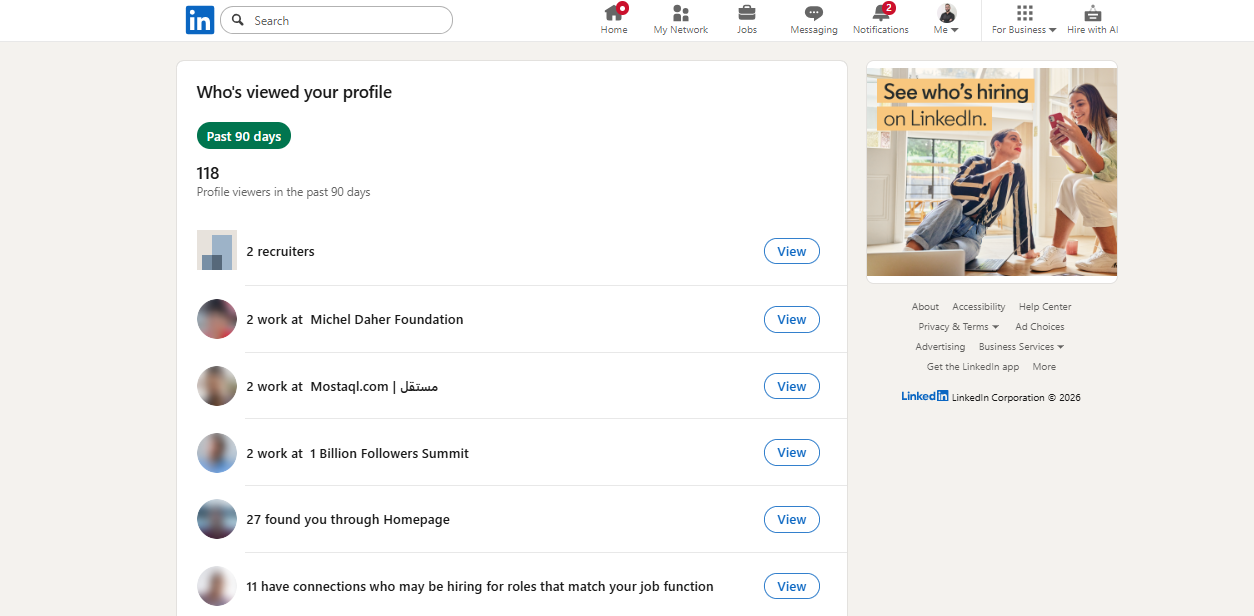
To see who viewed your LinkedIn profile, open your profile, scroll to the Analytics section and click the profile views number. Free accounts see the three most recent viewers from the last 90 days, and only if your own viewing setting shows your name and headline. Premium shows the full list for up to 365 days. Private mode viewers always appear as "LinkedIn Member".
This guide covers the desktop and mobile steps, exactly what free and Premium accounts show, how private mode affects both sides, what "LinkedIn Member" means, how post viewers differ from profile viewers, and how to turn a profile view into a conversation without being awkward. Every rule was checked against LinkedIn's Help Center in October 2026.
How to see who viewed your LinkedIn profile (desktop)
These steps come from LinkedIn's help page Access Who's Viewed Your Profile.
- Click the Me icon at the top of your LinkedIn homepage.
- Select View Profile.
- Scroll to the Analytics section, just below your intro.
- Click the [number] profile views link.
- Use the Profile and Search tabs at the top of the page to switch between profile viewers and search appearances.
How to see who viewed your LinkedIn profile on mobile
- Tap your profile picture in the top left of the app.
- Tap your profile photo again to open your profile.
- Scroll to the Analytics section.
- Tap the [number] profile views link.
The steps are the same on iPhone and Android. LinkedIn notes that profile view insights may also show up in your feed, which is often how people first notice a relevant visitor.
Free vs Premium: what you can actually see
LinkedIn's comparison page, Who's viewed your profile differences between basic and Premium accounts, sets out the differences. Here is the short version.
| Feature | Free (Basic) | Premium |
|---|---|---|
| Named viewers | Three most recent viewers in the last 90 days | Full list of viewers |
| History | Last 90 days | Up to 365 days (filter defaults to 90) |
| Requirement | Your own viewing setting must show name and headline | Can browse in private mode and still see the last 90 days |
| Summary insights | Number of viewers, viewers' workplaces, job titles, where they found you | All of that plus trends and breakdowns |
| Filters | None | Date range, company, industry, notable viewers and more |
| Weekly trend graph | No | Yes |
| Private mode viewers | Shown as "LinkedIn Member" | Shown as "LinkedIn Member" |
LinkedIn's Premium viewer insights page adds that Premium flags notable visitors such as recruiters, senior leaders and verified members, and shows top viewer locations, industries and companies. For what each Premium plan includes and whether it is worth paying for, see our guide to LinkedIn Premium plans compared. Prices change often, so check current pricing on LinkedIn before you subscribe.
See what's holding your profile back, free
Paste your profile link and see your score right away, with clear fixes for your headline, About section and experience. Free to start, no account needed.
Or open the free LinkedIn profile checker
Can you see who viewed your LinkedIn profile without Premium?
You can see part of the picture. A free account shows up to three recent named viewers from the past 90 days plus summary insights about everyone else, such as where your viewers work and what they do. That is enough to spot patterns, for example a run of visits from one company after an interview, but not enough to build a full list.
There is one condition people miss. LinkedIn's visibility settings page states that a free account must choose "Your name and headline" as its own viewing option to see viewer history. If you browse in private mode on a free account, your own viewer list goes dark. LinkedIn treats it as a fair exchange: you see others only if they can see you.
Be careful with browser extensions and apps that promise to reveal hidden viewers. LinkedIn's own help pages say private mode viewers stay anonymous even to Premium members, so no outside tool has a legitimate way to show those names, and tools that ask for your LinkedIn password put your account at risk.
What does "LinkedIn Member" mean in your viewers?
It means the person viewed your profile in private mode. LinkedIn offers three viewing options, and what you see about a viewer depends on the one they picked:
- Your name and headline: you see their name, headline, location and industry.
- Private profile characteristics (semi-private): you see a description such as job title, company, school or industry, without a name or photo. LinkedIn may generalize these details to protect privacy.
- Private mode: you see only "LinkedIn Member".
LinkedIn's help page on browsing in private and semi-private mode is direct about it: even with Premium, you cannot view the names of private mode viewers of your own profile. There is no setting, plan or trick that changes that.
Some other entries also show limited detail. If you block someone who viewed your profile earlier, they still count in your total, but their details no longer appear.
How private mode affects you
Private mode cuts both ways, so it is worth deciding deliberately.
When private mode makes sense
- You are researching competitors or a company you might join and do not want to signal interest.
- You are a recruiter or investor reviewing many profiles before deciding who to contact.
- You are checking someone out before a sensitive conversation.
What it costs you
- On a free account, you lose your own viewer list while it is on.
- You give up a soft form of outreach. A visible view from a relevant person often prompts a profile visit back, which costs you nothing.
How to change your viewing mode
- Desktop: click Me, then Settings & Privacy, then Visibility. Under Visibility of your profile & network, click Visibility when viewing other profiles and choose an option.
- Mobile: tap your profile photo, then Settings & Privacy, then Visibility, then Visibility when viewing other profiles.
Changes save automatically. A useful habit is to switch to private mode only for a specific research session, then switch back, so you keep your own viewer list most of the time.
Profile views vs post viewers: what's the difference?
People often search "who viewed my LinkedIn post" expecting a list of names. LinkedIn does not give one. Post analytics, described in LinkedIn's post analytics help page, show impressions, members reached and post viewer demographics such as job titles, companies and locations, plus profile activity and engagement. You see the names of people who reacted, commented or reposted, but not the names of people who only scrolled past or read.
The useful bridge between the two is the profile activity data. LinkedIn tracks how many people viewed your profile or followed you after a specific post, and Search Engine Journal reported in August 2025 that LinkedIn now sends alerts when a post drives profile views and new followers, at intervals including 3 and 7 days after posting. That tells you which posts actually send people to your profile. Our tutorial on how to use LinkedIn analytics explains where to find each number.
| Profile views | Post analytics | |
|---|---|---|
| Names shown | Some (depends on plan and viewer settings) | Only people who engaged |
| Main numbers | Viewers, workplaces, job titles, source | Impressions, members reached, demographics |
| Where to find it | Profile, Analytics section | Below the post: View analytics |
| Best question it answers | Who is checking me out? | Which content reaches the right people? |
Search appearances: the other half of the picture
On the same analytics page, the Search tab shows how often you appeared in LinkedIn search. LinkedIn's Search Appearances help page says it shows all appearances and search appearances, the companies and job titles of the people searching, and the job titles you were found for. If profile views are low but search appearances are healthy, people find you and then decide not to click, which points to your photo and headline. For what this data reveals and who can see it, read what LinkedIn search appearances data shows about privacy.
Why can't I see who viewed my LinkedIn profile?
- You are in private or semi-private mode on a free account. Switch your own viewing option to "Your name and headline".
- You have had no views in 90 days. LinkedIn shows no visitor data in that case.
- Your viewers browse privately. They count in the total but appear as "LinkedIn Member" or a generic description.
- You are on a free account. Only the three most recent named viewers appear.
- Your views dropped after a change. If numbers fell suddenly, our posts on why LinkedIn profile views drop overnight and whether profile views drop after you go Premium cover the usual causes.
One more detail from LinkedIn's visibility page: clicking a member's name in search suggestions counts as a profile view and may notify them. If you are researching quietly, type the full search and review the results list instead of clicking names in the dropdown.
How to turn profile views into conversations (ethically)
A profile view is a weak signal. The person might be curious, comparing candidates, or clicked by accident. Treat it as a reason to be visible and useful, and save any pitch for much later.
A simple four-step approach
- Check relevance first. Is this person in your market, your industry or a company you care about? Ignore the rest.
- Look at their activity. If they post or comment, engage with something they wrote. A thoughtful comment is a better opener than a message.
- Connect with context. If you send a request, mention a shared topic and leave the view out of it. "Saw your post on onboarding metrics, we have been testing the same thing" works. "I noticed you viewed my profile" makes people feel watched.
- Do not chase. If they do not reply, leave it. Repeated views from you in return can feel like surveillance.
Make the visit worth it
The highest return on profile views comes from what visitors see when they land. A clear headline, a Featured section with your best work, and an About section that says who you help turn more views into connection requests without you sending anything. A free check with the LinkedIn profile evaluator shows which parts of your profile to fix first. A clean custom URL helps too; see our guide on how to change your LinkedIn URL.
Stay within LinkedIn's limits
Mass-visiting profiles to trigger views back, whether by hand or with automation tools, is a common way to get an account restricted. We covered that in why LinkedIn restricts accounts for profile views.
Frequently Asked Questions
Can I see who viewed my LinkedIn profile for free?
Yes, partly. A free account shows the three most recent named viewers from the last 90 days, plus summary insights such as viewers' workplaces and job titles. This only works if your own viewing setting is "Your name and headline". Premium shows the full list for up to 365 days with filters and trends.
If I view someone's profile in private mode, can they see me?
No. In private mode you appear as "LinkedIn Member" with no name, headline or photo, and LinkedIn says even Premium members cannot see the names of private mode viewers. The trade-off is that on a free account you lose your own viewer list while private mode is on. Premium members keep their last 90 days of viewers.
How far back can I see LinkedIn profile views?
Free accounts see data from the last 90 days. Premium accounts can see up to 365 days of viewer data, with the date filter set to 90 days by default. If you have had no profile views in the past 90 days, LinkedIn shows no visitor data at all, even on Premium.
Can you see who viewed your LinkedIn post?
LinkedIn does not show post viewers by name. Post analytics show impressions, members reached and viewer demographics such as job titles, companies and locations. You can see the names of people who reacted, commented or reposted, and LinkedIn also tracks how many people visited your profile after a post. People who only read the post stay anonymous.
Does LinkedIn notify someone when you view their profile?
If your viewing option shows your name and headline, your visit appears in their Who's Viewed Your Profile list and can show up in their notifications. In semi-private mode they see a generic description, and in private mode they see only "LinkedIn Member". Clicking a name in search suggestions also counts as a profile view.
Can Premium reveal anonymous LinkedIn viewers?
No. LinkedIn's Help Center states that even with a Premium account you cannot view the names of private mode viewers of your own profile. Premium gives you a longer history, filters, trends and the ability to browse privately while keeping your viewer list, but anonymous viewers stay anonymous on every plan.