What Should You Do If You Can't Access Your LinkedIn Account?
Locked out of LinkedIn? Discover how to recover your restricted or hacked account with our practical guide. Act now to regain access!
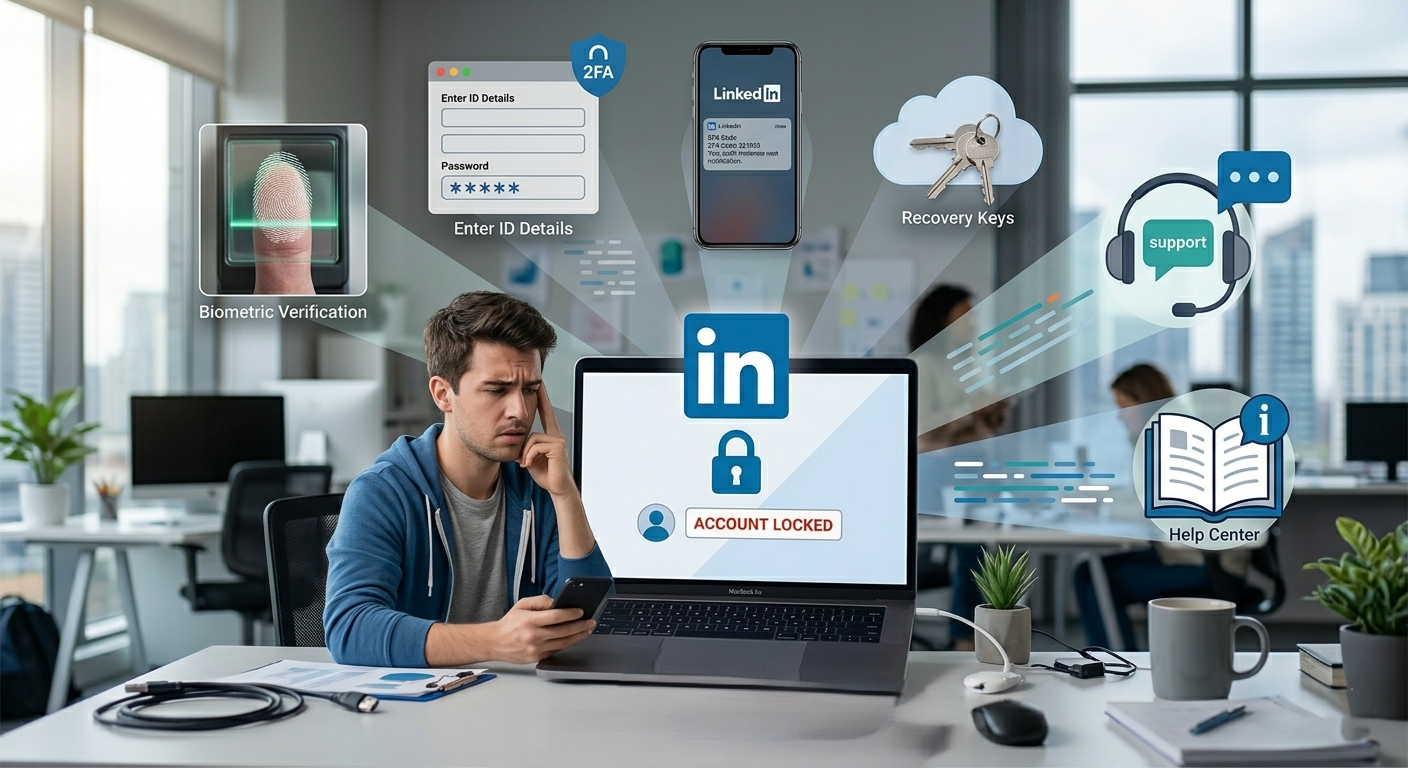
If you’re locked out of LinkedIn, dealing with a restriction, or trying to recover a hacked account, you’re definitely not the only one. It’s one of those situations that can feel weirdly stressful very fast, especially if LinkedIn is tied to your job search, sales pipeline, hiring, or personal brand.
The recent LinkedIn support mega thread made one thing clear: Reddit is not the place where LinkedIn moderators can directly fix account access problems. That may be frustrating, but it also tells you something important, if your account is restricted or compromised, the real solution is going through LinkedIn’s official recovery and appeal process.
So let’s break this down in a simple, useful way. If you’re wondering what to do next, what not to do, and how to improve your chances of getting back into your account, here’s a practical guide.
First, What Kind of LinkedIn Problem Are You Dealing With?
Before you do anything, ask yourself:
Was your account hacked or compromised?
Did you lose access to your email and can’t log in?
Did LinkedIn say your account is restricted?
Are you stuck in ID verification?
Did you get a message saying you’ve already submitted a request?
These issues may look similar on the surface, but they’re handled differently. Starting with the right path saves time.
If Your LinkedIn Account Was Hacked, Start Here
If someone got into your account, changed your password, email, or profile information, act quickly. The best place to begin is LinkedIn’s official compromised account help page:
LinkedIn Help: Report unauthorized account access
When an account is compromised, your priority should be:
Reporting the issue through LinkedIn’s official recovery flow
Securing your email account, because that’s often how attackers keep access
Changing passwords on any connected accounts
Checking for unknown devices or sessions
If you still have some access, turn on two-step verification once your account is secure. LinkedIn also offers guidance on account security and best practices through its Help Center. For broader online safety advice, Google’s security tips are useful too: Google Safety Center.
If You Lost Access To Your Email Address
This one catches a lot of people off guard. Maybe it was an old work email, maybe you no longer control the inbox, or maybe you simply forgot to update your login details. The good news is that LinkedIn does have a process for this.
Use this official help article:
LinkedIn Help: Regain account access if you no longer have your email
Usually, LinkedIn will need to verify your identity before restoring access. That makes sense, they’re trying to prevent the wrong person from reclaiming the account.
Helpful question to ask yourself here: Does the name on my LinkedIn profile match my legal ID closely enough? If not, that mismatch can slow things down.
Why Do LinkedIn Account Restrictions Happen?
According to LinkedIn, restrictions can happen for security reasons or because of activity that may violate platform rules. That can include suspicious login patterns, unusual connection behavior, identity concerns, or activity that triggers trust and safety checks.
Here’s LinkedIn’s page on restrictions:
LinkedIn Help: Account restriction overview
Some common reasons restrictions may happen include:
Unusual login attempts from different locations
Automated or high-volume activity
Profile information that looks inconsistent
Reports from other users
Security flags related to identity verification
That doesn’t always mean you did something intentionally wrong. Sometimes legitimate users get caught in automated reviews. But if you’ve been using third-party automation tools, scraping tools, or aggressive outreach systems, it’s worth being honest with yourself about whether that may have contributed.
How Do You Appeal a LinkedIn Restriction?
If LinkedIn gives you the option to appeal, use the instructions shown when you try to log in. Based on the support thread, LinkedIn’s Safety Team typically responds in around 7 to 10 business days.
Here’s the big thing: do not keep submitting multiple support tickets for the same issue. LinkedIn specifically says this can slow the process down.
Instead, do this:
Submit one clear appeal
Make sure your explanation is consistent and accurate
Monitor your email, including spam folders
Wait for the review period before trying again
If you received a final decision and still think there’s context missing, LinkedIn says you may be able to reply to the case email with more information or request another look.
Why is LinkedIn asking For Your ID?
A lot of users feel uneasy when a platform asks for a government-issued ID. That’s understandable. In LinkedIn’s current process, identity checks may be handled through Persona, which is used to confirm account ownership.
LinkedIn explains the process here:
LinkedIn Help: Data and sharing with Persona
According to LinkedIn, this data is used for account recovery, and they note that it is typically deleted permanently within 14 days after the issue is resolved.
If you’re asked for ID, keep these points in mind:
Use a government-issued ID
Make sure the image is clear and readable
Check that your account details match your ID as closely as possible
Make sure you consent to sharing information with Persona if prompted
If you keep getting stuck, LinkedIn has extra troubleshooting here:
LinkedIn Help: Troubleshoot ID verification issues
What If LinkedIn Says You Already Submitted a Request?
This is another common pain point. Sometimes the system blocks a new request because:
You already have an active appeal
You re-opened the verification flow too many times
Your browser cache or cookies are interfering
A practical fix is to:
Clear your browser cache and cookies
Try again from a clean browser session
Wait the suggested time period if LinkedIn tells you to pause
In the mega thread, LinkedIn specifically mentioned waiting 7 days before attempting a new appeal if the issue doesn’t resolve.
A Simple Recovery Checklist
If you feel overwhelmed, use this quick checklist:
Identify the exact problem: hacked, restricted, email lost, or ID issue
Use the official LinkedIn Help Center flow, not random workarounds
Submit one appeal only unless instructed otherwise
Prepare a valid ID if identity verification is required
Watch your email carefully for updates
Avoid third-party automation during and after recovery
Improve account security once access is restored
How Can You Reduce The Chances Of This Happening Again?
Once you’re back in, it’s worth tightening things up. A few habits can make a big difference:
Use a strong, unique password
Enable two-step verification
Keep your primary email current
Avoid suspicious browser extensions and automation tools
Regularly review your connected devices and account activity
Final Thought
If your LinkedIn account is restricted, hacked, or inaccessible, the fastest path is usually the least dramatic one: use LinkedIn’s official process, stay patient, and avoid creating duplicate cases. It’s frustrating, yes, but a clean and consistent appeal usually gives you the best shot.
Read more on our blog and follow us on LinkedIn:
Write better LinkedIn content with exeedin
exeedin is an AI tool that helps you ideate, draft, and schedule content for your LinkedIn. Turn raw ideas into polished posts and stay consistent without the guesswork. Try exeedin.