What to Do If You Have One Legal Name And LinkedIn Is Rejecting It?
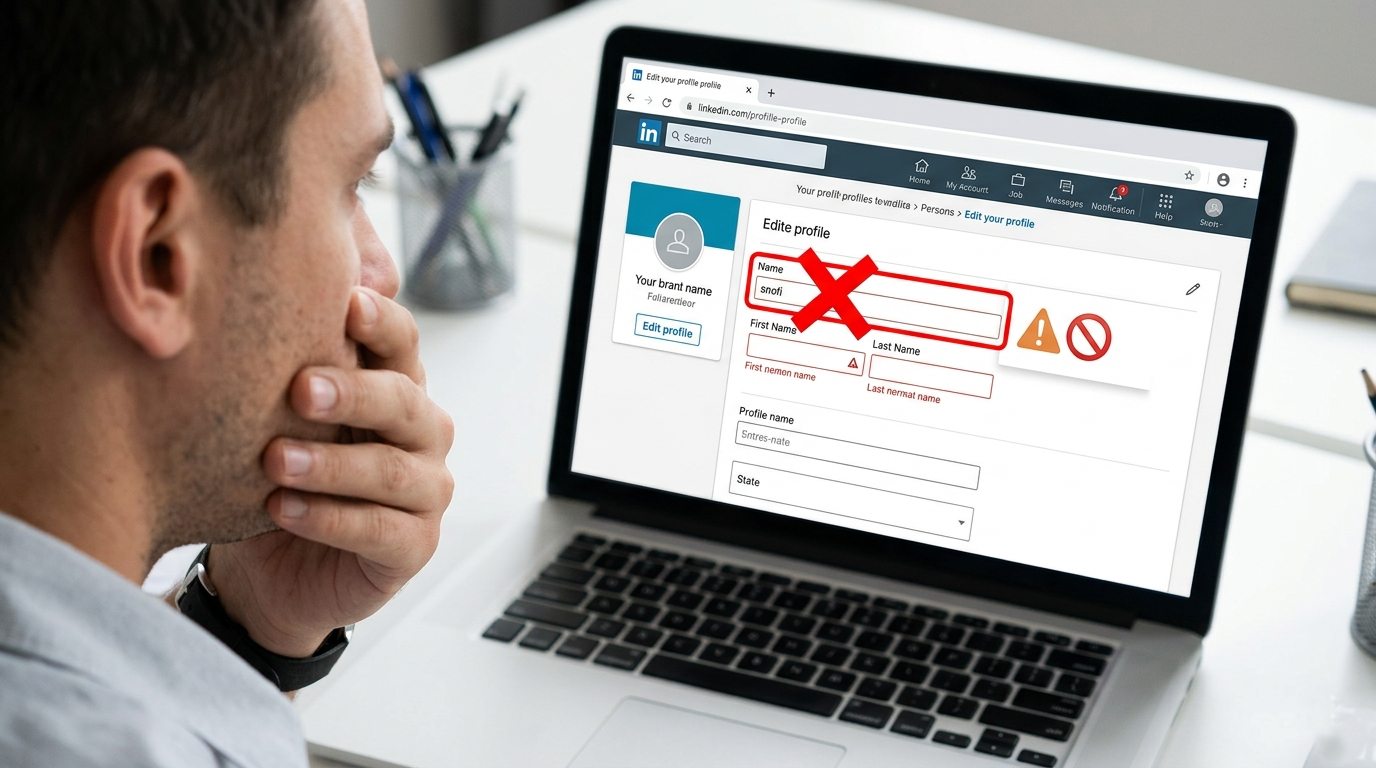
If you have been locked out of editing your LinkedIn profile because of a name issue, you are not the only one. A growing number of people have run into problems after LinkedIn tightened how names can be entered, especially if they previously used a special character in the surname field or if their legal identity includes only a single name.
That is not just a minor profile setting problem. It can affect your visibility, your ability to update your bio, and even how professional contacts find you. If your government ID shows one name only, or if you used a workaround in the past because LinkedIn required both a first and last name, this kind of platform change can create a very real problem.
So what is actually going on here, and what can you do next?
What Seems To Be Happening On LinkedIn?
Based on the issue, LinkedIn appears to have changed the way it validates names. In the past, some users got around the platform’s two-name requirement by adding a symbol or special character in the surname field. That may have worked for people who legally have only one name and had no other practical option.
Now, if LinkedIn has updated its system to reject special characters or to enforce stricter name formatting, older profiles using those formats may get stuck. That can lead to errors when trying to edit other parts of the profile, like the headline, bio, or personal details.
In simple terms: a profile can get trapped by old formatting rules that are no longer accepted.
Why This Matters More Than It Sounds?
At first glance, this may look like just a technical bug. But for many people, it touches something bigger: identity and access.
Not everyone has a first name and surname structure. Many cultures and legal systems recognize mononyms, or single legal names.
Platform design can accidentally exclude people. If a site forces a Western-style naming format, it creates friction for users whose legal documents do not fit that model.
Profile restrictions can affect real opportunities. LinkedIn is not just social media. It is used for job applications, networking, hiring, and personal branding.
That is why this is not only about a broken form field. It is about whether a professional platform is flexible enough to reflect how people actually exist in the real world.
If You Have Only One Legal Name, What Should LinkedIn Allow?
Honestly, the better question is: why should users with a single legal name be forced into an inaccurate profile format at all?
A more inclusive system would let people:
Use one legal name without needing a fake surname
Verify that name with a government ID
Update their profile without triggering validation errors
Appeal or explain name-format mismatches through support
This is already something other digital platforms have had to address. Identity systems are complicated, and there is no one-size-fits-all format that works globally.
What Can You Do Right Now If LinkedIn Is Throwing A Name Error?
If your profile is stuck, here are some practical steps worth trying.
1. Check LinkedIn’s current name policy
Before making changes, review LinkedIn’s official help content on profile names and personal information. This can help you see whether your current profile format now conflicts with updated rules.
2. Try editing from both desktop and mobile
Sometimes a validation issue appears differently depending on the device or app version. If the web browser fails, try the mobile app. If the app fails, try desktop. It is basic, but worth checking.
3. Clear cached data or test a different browser
This will not solve a platform policy issue, but it can rule out browser-side glitches. Try opening LinkedIn in an incognito window or in another browser to see whether the same error appears.
4. Document the error clearly
Take screenshots. Note exactly what field you are editing, what error message appears, and whether the issue started after a recent update. This makes support requests stronger and easier to escalate.
5. Contact LinkedIn support directly
If your legal identity includes only one name, say that clearly. Mention that your government ID reflects a single-name format and that the current profile requirements are preventing you from maintaining an accurate account.
You can also try LinkedIn’s support channels and official help center resources here:
6. Ask for a manual review
This is important. If the issue is caused by older profile formatting that LinkedIn’s current system no longer accepts, automated tools may not help. A manual review may be needed to update the account properly.
Useful Questions To Ask LinkedIn Support
If you are contacting support, it helps to be specific. You could ask:
Is my profile blocked because of a legacy special character in the surname field?
Can LinkedIn manually update my account if I only have one legal name?
What name format should be used for users whose government ID shows only one name?
Can you remove the invalid surname entry without locking my profile edits?
Is there an accessibility or identity exception process for mononym users?
Support teams usually respond faster when the issue is framed as a clear account-access problem rather than a general complaint.
Could This Be A Bug Instead Of A Policy Decision?
Yes, possibly. There are really two different scenarios here:
A policy restriction: LinkedIn intentionally removed support for special characters and still requires two name fields.
A technical bug: LinkedIn changed validation rules but failed to properly migrate older profiles, leaving some users unable to edit anything.
Either way, the result is the same for the person affected. But from a support perspective, it helps to point out that this may be a migration or validation bug, especially if your profile worked previously and only broke after the rule change.
Why Platforms Need More Inclusive Name Systems?
This issue is a reminder that digital identity design still has gaps. Names are not universal in structure. Some people have one name. Some have multiple family names. Some use non-Latin scripts. Some names include punctuation, spacing, or characters that systems reject too aggressively.
If a platform like LinkedIn wants to serve a global professional audience, its profile setup needs to account for that reality.
For more context on inclusive name design, this article is useful:
Falsehoods Programmers Believe About Names
If You Use LinkedIn Professionally, Don’t Ignore Profile Issues
Even if this feels like a small admin headache, profile accuracy matters. Your LinkedIn account affects how recruiters, clients, and collaborators see you. If your name is wrong or your account is partially locked, it can create confusion and reduce trust.
Here is a simple breakdown:
Your name is part of your searchability.
Your profile controls your professional first impression.
Your ability to edit your bio matters for relevance.
Your legal identity should not be treated like an edge case.
If LinkedIn is central to your career, it is worth resolving this properly instead of leaving the account in a broken state.
Final Thought
If LinkedIn is rejecting your name, especially because you have a single legal name or used a now-disallowed surname workaround, you are dealing with a real issue, not just user error. The best next step is to document everything, contact support, and push for a manual review. The platform needs to be more flexible for global naming realities, and honestly, that is long overdue.
Read more on our blog and follow us on LinkedIn:
Write better LinkedIn content with EXEED AI
EXEED AI is an AI tool that helps you ideate, draft, and schedule content for your LinkedIn. Turn raw ideas into polished posts and stay consistent without the guesswork. Try EXEED AI.