
Grow on LinkedIn with guides that show the work
Post ideas, profile fixes, hooks and honest tool reviews from the exeedin team, for professionals who want LinkedIn to bring real opportunities.
Latest articles
Showing 505 to 522 of 731 articles

Storytelling on LinkedIn: How to Use Hooks to Weave Compelling Narratives
Learn how to use storytelling to your advantage on LinkedIn. This post breaks down how to craft compelling hooks that grab your audience's attention from the first sentence. Discover actionable tips for writing story-based hooks, a simple structure for your posts, and common mistakes to avoid.
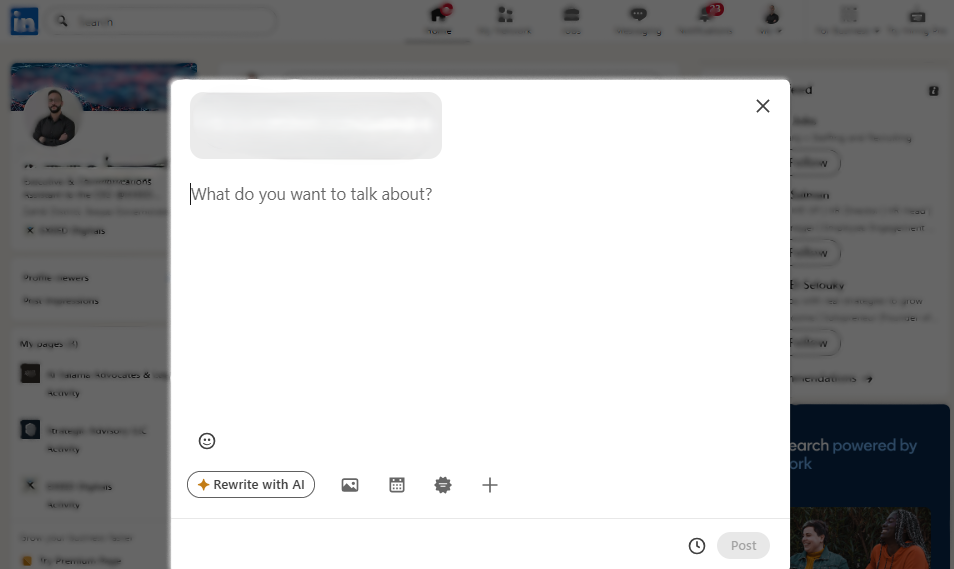
Why Is Posting on LinkedIn So Hard?
Write it like you'd answer a colleague over coffee. See simple fixes for LinkedIn posting anxiety, including 3 to 5 content buckets you can rotate through.

LinkedIn Sales Navigator Pricing 2026: A Complete Guide
Core is about $119.99 a month or around $1,079.88 a year, and Advanced about $159.99 per user a month. See what each Sales Navigator plan includes.

LinkedIn for Students: How to Create a Profile That Lands Your First Internship
As a student, the professional world can feel like a distant, intimidating place. You have the ambition and the education, but how do you get your foot in the door? The answer might be closer than you think: a strong LinkedIn profile. It is your digital handshake, your online resume, and your networking tool all in one. If you are serious about landing that first internship, it is time to take your LinkedIn presence seriously.
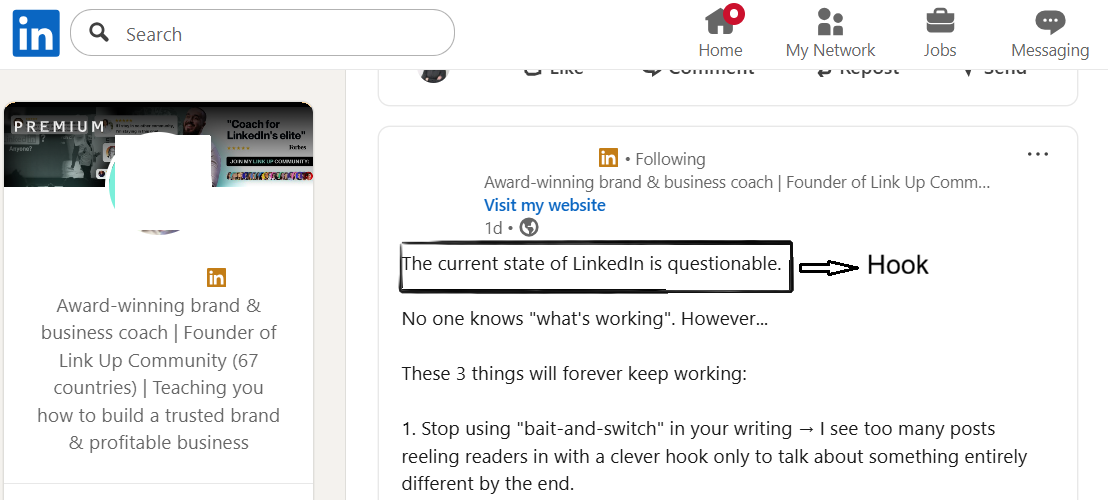
Why Hooks Are More Important Than Ever?
Your first one or two lines decide whether readers click See more in a crowded feed. See how attention on LinkedIn is shifting and how to write hooks.

Is LinkedIn Sales Navigator Worth It in 2026? A Practical Guide
Sales Navigator is a dedicated platform built on LinkedIn for strategic prospecting. See what it adds over standard LinkedIn and if it fits your team.
How does your LinkedIn profile score?
Paste your profile link and get a score out of 10 for every section, plus the first thing to fix. No signup needed.

How Sales Professionals Can Optimize Their LinkedIn Profile to Close More Deals
Transform your LinkedIn profile from a passive resume into a powerful sales tool. This guide shows sales professionals how to optimize their headline, banner, 'About' section, and experience to attract more leads and close more deals.

How the LinkedIn Algorithm Rewards Great Hooks in 2025
In 2025, the LinkedIn algorithm prioritizes dwell time on your post's first line. A great hook is crucial for visibility. This post explains how the algorithm measures a good hook, provides tips for writing effective hooks (spark curiosity, get personal, use data), and outlines common mistakes to avoid. Learn to write hooks that the algorithm rewards and boost your LinkedIn presence.

How Do You Report a Suspected LinkedIn Premium Scam?
Click the three dots on the message, post or comment and select Report, or use More on the profile. Then save URLs and screenshots to help LinkedIn act.

LinkedIn Sales Navigator vs. Premium: Which Tool Will Grow Your Business?
Unsure whether to invest in LinkedIn Premium or Sales Navigator? This guide breaks down the key differences to help you choose the right tool for your business goals.

The Ultimate LinkedIn Profile Guide for Job Seekers in 2025
Landing your dream job in 2025 requires more than just a resume. Your LinkedIn profile is your digital first impression, a personal branding tool, and a direct line to recruiters and hiring managers. This guide will walk you through, step by step, how to create a LinkedIn profile that gets you noticed and hired.
Why Are You Hitting the InMail Limit Even with Low Outreach Volume?
Some messages use InMail credits without you noticing, and credits may reset on your billing date, not the 1st. See what to check to avoid the limit.

The Psychology of a Perfect LinkedIn Hook: What Makes People Click?
Ever scroll through your LinkedIn feed and wonder what makes you stop on one post but fly right past another? It’s not magic, and it’s not luck. It’s psychology. The first one or two lines of your post, the hook, are everything. They’re the gatekeepers to your content, and understanding the psychology behind a great hook is the key to unlocking more engagement, more connections, and more opportunities on LinkedIn.

Master Sales Navigator: A Deep Dive Into Advanced Search Filters
Use lead filters for people and account filters for companies. See how to layer role, seniority, job changes and buyer intent in Sales Navigator search.

How to Use the LinkedIn Featured Section to Showcase Your Best Work
Your LinkedIn profile's Featured section is your personal highlight reel. This powerful tool lets you showcase your best work, drive traffic to your website, and tell a more compelling story than a static resume ever could. Learn how to strategically use this feature to grab attention, demonstrate your expertise, and turn your profile into a lead-generation machine. We'll cover what to feature, how to add content, and best practices for a standout section that gets results.

How Intentional LinkedIn Use Turns Activity Into Real Opportunities?
Pick one goal for the next 30 to 90 days, know who you want to reach and stay consistent. A step-by-step guide to turn LinkedIn activity into results.

7 Common Mistakes to Avoid When Writing LinkedIn Hooks
Tired of your LinkedIn posts getting ignored? Your hook might be the problem. This post breaks down seven common mistakes people make when writing LinkedIn hooks, from being too vague to forgetting a call to action. Learn how to avoid these pitfalls and write hooks that grab attention, create curiosity, and drive engagement. Plus, get a free tool to help you write better hooks instantly.

How to Find and Win High-Quality Leads with LinkedIn Sales Navigator
Tired of searching for leads? Learn how to use LinkedIn Sales Navigator to find, connect with, and win high-quality B2B clients with these expert tips.
Looking for a topic? Browse all categories
Turn what you read into posts in your voice
Ideas, hooks and full posts written the way you talk, then scheduled to LinkedIn.
3-day free trial. No credit card needed.