Best LinkedIn Competitor Analysis Tools in 2026 (+ Free Template)
Which LinkedIn competitor analysis tools actually show rivals' LinkedIn data in 2026, verified prices, and a 60-minute competitor analysis framework with a free template.
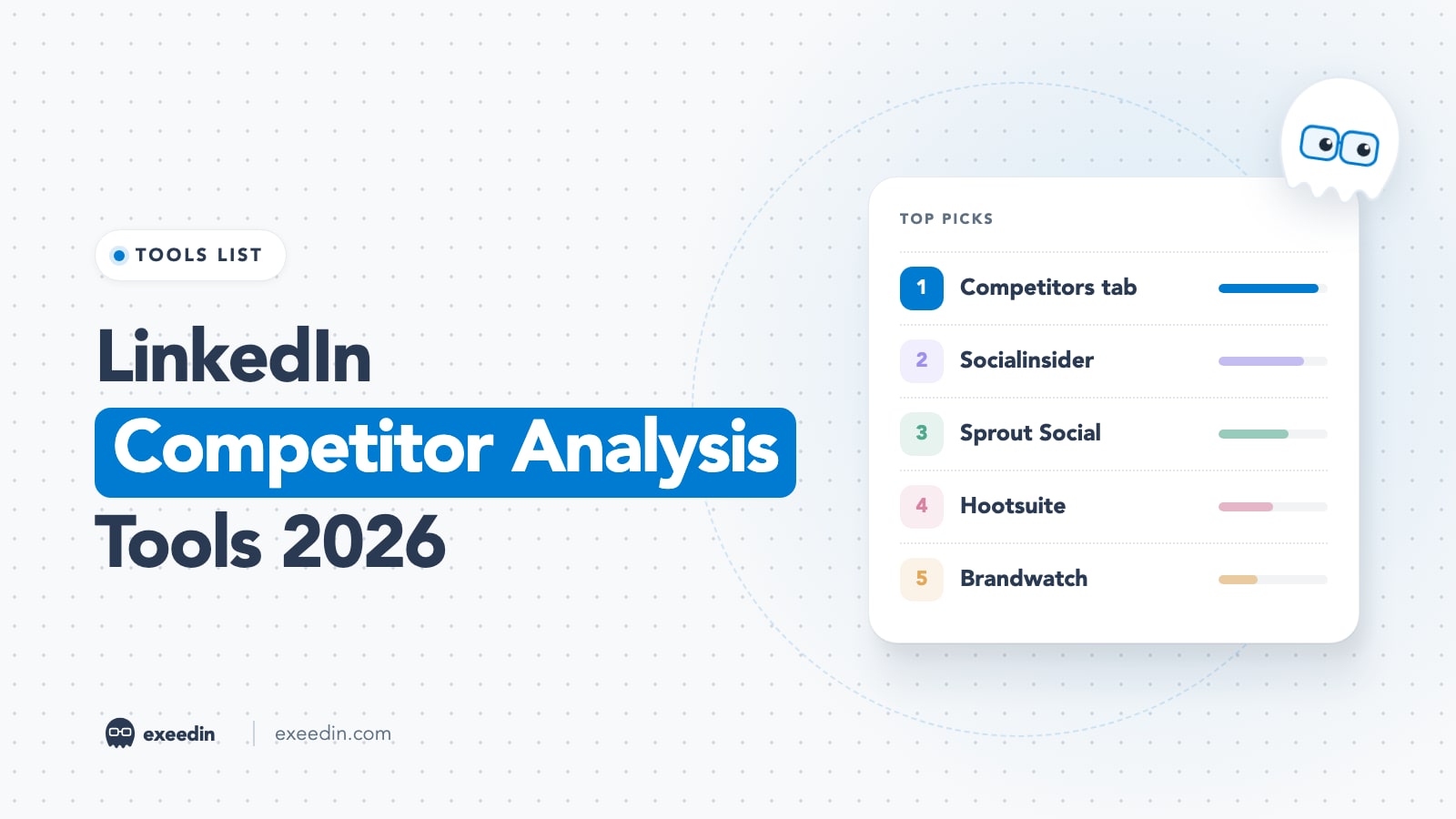
The best LinkedIn competitor analysis tools in 2026 are LinkedIn's free Page Competitors tab for company pages, Socialinsider for deeper company page benchmarking, and a manual tracking routine for individual creators. LinkedIn's API keeps most competitor data away from third-party tools, so big suites like Sprout Social and Rival IQ analyze your own LinkedIn data but not your rivals'.
That last point surprises most buyers, so this guide is built around it. We checked each vendor's pricing and help pages in October 2026, read LinkedIn's Help Center article on Page competitor analytics, and separated tools that truly show competitor LinkedIn data from tools that only show yours. You will also get a 60-minute competitor analysis framework with a copy-ready template. Prices checked October 2026.
Quick comparison: LinkedIn competitor analysis tools at a glance
| Tool | Best for | Starting price | Free plan | LinkedIn competitor data? |
|---|---|---|---|---|
| LinkedIn Page Competitors tab | Company pages on a budget | Free (Premium Company Page $99.99 per month) | Yes | Yes, Pages only: 1 competitor free, up to 9 on Premium |
| Socialinsider | Company page benchmarking | From $82 per month, billed yearly | No, 14-day trial | Yes, public company page data |
| Sprout Social | All-in-one social teams | $79 per seat per month, billed yearly | No, 30-day trial | No, LinkedIn excluded from competitor reports |
| Hootsuite | Teams already on Hootsuite | From $99 per user per month, billed yearly | No, 14-day trial | Not confirmed for LinkedIn |
| Brandwatch | Enterprise listening and benchmarks | Custom quote | No | Ask in the demo |
| Rival IQ | Cross-network benchmarks outside LinkedIn | $239 per month | No, 14-day trial | No, LinkedIn is private data only |
| AuthoredUp | Studying your own posts in depth | $19.95 per month | No, free trial | No, your own profile and pages |
| exeedin | Following individual creators' recent posts | $49 per month ($39 billed yearly) | No, 3-day trial | Recent posts from creators you add, no metrics dashboard |
Why most tools cannot show competitor LinkedIn data
On Instagram, X or YouTube, competitor tools read public account data through each network's API. LinkedIn is stricter. Sprout Social's help center says the LinkedIn API does not support competitor analysis, so a LinkedIn page or profile cannot be connected to its Competitor Performance report. Rival IQ's help article says the same thing in its own words: LinkedIn is only available as a private-data channel, because of LinkedIn's API limitations.
Personal profiles are even more closed. Socialinsider's LinkedIn analytics page states that no third-party tool can show personal LinkedIn analytics, and that personal profile data is limited to LinkedIn's native tools. So before you pay for any suite, ask one question in the demo: "Show me a competitor's LinkedIn page inside your product." If they cannot, you are buying analytics for your own accounts.
This also explains why Shield, a popular personal-profile analytics tool, is winding down. A May 2026 review reports that LinkedIn and Google shut off the Chrome-extension data collection Shield relied on, and its site no longer loaded when we checked in October 2026. If you used it, read our guide on what to switch to now that Shield is shutting down.
Get 10 hooks for your next post
Type what your post is about and get 10 opening lines from different proven angles. Free, no signup.
Or open the free LinkedIn hook generator
The best LinkedIn competitor analysis tools, ranked
1. LinkedIn Page Competitors tab: Best free starting point for company pages
If you manage a LinkedIn Page, the most accurate competitor data comes from LinkedIn itself. Page admins open the Page, go to Analytics and choose Competitors. According to LinkedIn's Help Center article on competitor analytics for your LinkedIn Page, the tab shows:
- Follower metrics: all-time followers and new followers in the date range you pick, for you and each competitor.
- Organic content metrics: engagement on posts created within the range.
- Trending competitor posts: the top trending original posts from competitors over the past 30 days, refreshed daily.
- Aggregated table: new posts, new comments, new reactions and engagement rate side by side.
Limits in 2026: a free Page can track one competitor and see trending posts for that one. A Premium Company Page can add eight more (nine in the table) and see trending posts for up to three. All dates are in UTC.
Pricing: free for Page admins. Premium Company Page is US$99.99 per month or US$839.88 per year per license, and it advertises insights from up to nine other Pages.
- Pros: first-party data, no extra login, trending posts show what is working right now.
- Cons: Pages only, one competitor on the free tier, no post-level export of competitor content, no personal profiles.
Who it is for: every company page admin, as the first stop before paying for anything.
2. Socialinsider: Best for company page benchmarking
Socialinsider is the strongest paid option we found for LinkedIn competitor data specifically. You add public competitor company pages to a project and compare them with your own in a head-to-head benchmark dashboard.
Key features: competitor benchmarking on all plans, LinkedIn page and post level data, comparisons of engagement rate, follower growth, posting frequency and format mix, cross-network reports, and exportable client reports.
Pricing: Adapt costs $990 per year (about $82 per month) for up to 20 profiles and three months of history; Optimize is $124 per month and Predict is $199 per month, per Socialinsider pricing. Competitor accounts count toward your profile total. There is a 14-day trial with no card.
- Pros: one of the few tools that actually benchmarks competitor LinkedIn pages, clean reports for agencies, multi-network.
- Cons: company pages only, click data is only available for pages you manage, short history on the entry plan.
Who it is for: B2B marketers and agencies reporting on company pages every month.
3. Sprout Social: Best all-in-one suite for your own LinkedIn plus rivals elsewhere
Sprout Social is a full social media management platform: publishing, inbox, listening and reports. It is excellent at reporting on your own LinkedIn profiles and pages. For competitors, its Competitor Performance report covers other networks, and its help center says LinkedIn cannot be connected because of API limits.
Key features: profile performance reports that include LinkedIn, a shared inbox, scheduling, social listening as an add-on, and "extensive competitor, tag and paid insights" on Professional.
Pricing: Essentials is $79 per seat per month billed yearly ($99 monthly), Standard $199, Professional $299 and Advanced $399 per seat per month, per Sprout Social pricing. Competitor insights sit on Professional. There is a 30-day trial.
- Pros: polished reports, strong team workflows, good for brands active on several networks.
- Cons: expensive per seat, LinkedIn competitor data is not available, competitor features need the higher plans.
Who it is for: social teams that need one suite for everything and can live with manual LinkedIn competitor tracking.
4. Hootsuite: Best for teams already using Hootsuite
Hootsuite bundles competitor benchmarking into its plans, and its competitive analysis page says you can watch up to five competitors on Standard and up to 20 on Advanced and Enterprise. The page talks about tracking competitors "across social" without naming which networks, and it does not mention LinkedIn.
Key features: scheduling and approvals, LinkedIn analytics for your own organic posts and ads, competitor and industry benchmarking, and social listening.
Pricing: from $99 per user per month for Standard, $199 for Professional and up to $399 for Advanced, all billed yearly, per Hootsuite plans. Each paid plan has a 14-day trial.
- Pros: competitor tracking included without a separate tool, familiar to most agencies.
- Cons: LinkedIn competitor coverage is not confirmed on its own pages, pricing climbs quickly with users.
Who it is for: teams already paying for Hootsuite. Confirm LinkedIn coverage during the trial before you rely on it.
5. Brandwatch: Best for enterprise listening and benchmarking
Brandwatch is an enterprise consumer intelligence and social media management suite. Its plans page lists benchmark dashboards that compare your performance against competitors and names LinkedIn among its network partners, but it publishes no prices and asks you to book a demo.
Key features: large-scale social listening, competitor benchmark dashboards, media monitoring, influencer marketing and publishing modules.
Pricing: custom quote only.
- Pros: deep listening across the web, good for brand and reputation teams.
- Cons: opaque pricing, heavy setup, and LinkedIn competitor depth is something to test in the demo rather than assume.
Who it is for: large brands that need listening and benchmarking across every channel.
6. Rival IQ: Best for cross-network benchmarks outside LinkedIn
Rival IQ, now "a Quid company", is a respected competitive benchmarking tool for Instagram, Facebook, TikTok, X and YouTube. For LinkedIn, its help center is honest: LinkedIn is only available for your own private data, and competitor LinkedIn data is not provided.
Key features: tracked company landscapes, historical data, social post boosting detection, custom dashboards, and LinkedIn Page analytics for your own page.
Pricing: Drive is $239 per month for 10 tracked companies, Engage $349 for 20 and Engage Pro $559 for 40, per Rival IQ pricing. Annual billing saves 15%. There is a 14-day trial.
- Pros: excellent benchmarks on other networks, clear reporting, transparent about LinkedIn limits.
- Cons: no competitor LinkedIn data, which is a dealbreaker if LinkedIn is your main B2B channel.
Who it is for: brands whose competitive battles happen mostly on other networks, with LinkedIn as a secondary channel.
7. AuthoredUp: Best for studying your own posts in depth
AuthoredUp is a LinkedIn writing and analytics tool. Its pricing page lists analytics for your own profile, company pages and group posts: a performance dashboard, best post type, day, length and readability, and side-by-side post comparison. It does not list competitor tracking.
Pricing: Individual is $19.95 per month ($16.63 billed yearly). Business is $14.95 per profile per month with a minimum of three profiles. There is a free trial with no card.
- Pros: affordable, detailed breakdowns of what works in your own content, a good editor.
- Cons: no competitor analytics, so you still need a manual routine to compare.
Who it is for: creators who want to measure their side of the comparison precisely.
8. exeedin: Best for following individual creators' recent posts
This one is a LinkedIn ghostwriter, and it does not pretend to be a competitor analytics dashboard. What it offers for competitor research is practical: in Engage, you can add any creator to your engage list by searching or pasting their LinkedIn profile link, and their posts from the last seven days show up in one daily queue. That gives you a single place to read what peers and rivals in your niche are publishing this week, and to comment on it with suggested comments you edit and post yourself.
Pricing: Creator is $49 per month or $39 per month billed yearly, with a 3-day trial.
- Pros: covers individual creators, which page tools cannot; one feed for many people; turns research into engagement.
- Cons: shows recent posts only (last seven days), no competitor metrics, follower charts or exports.
Who it is for: founders and consultants whose real competitors are other people's personal brands.
How to run a LinkedIn competitor analysis in 60 minutes
Tools help, but the analysis is the work. This routine fits in one hour and works for both company pages and personal brands. Run it once a quarter, or monthly if LinkedIn is your main channel.
- Minutes 0 to 5: pick three to five competitors. Choose one direct competitor, one aspirational account that is a stage ahead of you, and one or two creators your buyers already follow. More than five turns into noise.
- Minutes 5 to 15: pull the numbers you can get. For Pages, open Analytics, then Competitors, and note follower totals, new followers and engagement for the last 30 days. For people, open their profile, go to the Activity section and choose Show all activity, then filter to Posts, as described in LinkedIn's help article on viewing a member's activity. On the mobile app, tap Show all.
- Minutes 15 to 30: log the last 30 days of posts. For each competitor, count posts per week and tag each post by format (text, image, carousel, video, poll), topic and hook type. Do not read comments yet.
- Minutes 30 to 40: study their top three posts. Pick the three with the most comments (comments say more than reactions). Write one line on why each worked: the hook, the format, a story, a data point, a strong opinion.
- Minutes 40 to 50: compare positioning. Read each headline, About section, Featured section and banner. Note who they say they help, the outcome they promise and the call to action. Our guide to writing a headline that is more than a job title helps you judge this part.
- Minutes 50 to 60: find the gaps and pick three experiments. Look for topics nobody covers well, formats your niche ignores, and audiences nobody speaks to directly. Choose three experiments for the next 30 days and put them on your calendar.
Competitor analysis template
Copy this table into a spreadsheet. One row per competitor, plus one row for yourself so the comparison stays honest.
| Field | Competitor A | Competitor B | Competitor C | You |
|---|---|---|---|---|
| Type (Page or person) | ||||
| Followers and 30-day growth | ||||
| Posts per week | ||||
| Main formats (share of posts) | ||||
| Top three topics | ||||
| Hook style that works | ||||
| Best post (link and why it worked) | ||||
| Average comments on top posts | ||||
| Who they say they help | ||||
| Call to action (profile, Featured, posts) | ||||
| Gap we can own |
What to do with the findings
- Turn gaps into content pillars. If every competitor talks tactics and nobody shares real numbers, case studies become your pillar. Our list of LinkedIn post ideas has angles grouped by goal.
- Borrow formats for your own topics. If carousels win in your niche, test carousels on your own topics. Copying a competitor's post word for word damages your reputation and the original author will notice.
- Match frequency before you judge results. A competitor posting five times a week will outgrow one posting once, whatever the quality. Compare engagement per post.
- Measure your side properly. Use LinkedIn's own analytics for impressions on your posts. Our guide on how to use LinkedIn analytics walks through each screen.
Common mistakes in LinkedIn competitor analysis
- Comparing a company page with a personal profile. They reach people differently. Compare pages with pages and people with people.
- Trusting estimated reach for rivals. Only the account owner sees impressions on LinkedIn. Any competitor reach figure from a third-party tool is an estimate, so lean on visible engagement.
- Scraping profiles to build a database. LinkedIn's User Agreement prohibits scraping profiles and data with crawlers, plugins or other tools. Manual research and first-party analytics are safe; bulk scrapers put your account at risk.
- Ignoring comments. The comment section shows who the audience is. A post with 40 comments from buyers beats one with 400 reactions from peers.
- Analyzing once and never again. Put the 60-minute routine on your calendar every quarter.
How to choose a LinkedIn competitor analysis tool
- You manage one company page and have no budget: the native Competitors tab, plus the template above.
- You report on company pages for clients or leadership: Socialinsider, or Premium Company Page if you only need LinkedIn and nine competitors.
- You need a full social suite and LinkedIn is one of many networks: Sprout Social or Hootsuite, knowing that LinkedIn competitor tracking stays manual.
- You are an enterprise brand that needs listening: Brandwatch, after testing LinkedIn coverage in the demo.
- Your competitors are individual creators: a manual routine using the Activity section, AuthoredUp to measure your own side, and an engage list in a tool like exeedin to read their recent posts in one place.
For a broader view of tools that measure your own performance, see our roundup of the best LinkedIn analytics tools, and our earlier answer on the best competitor analysis tool that includes LinkedIn data.
Frequently Asked Questions
Can I see my competitors' LinkedIn analytics?
Partly. If both of you have LinkedIn Pages, the free Competitors tab in Page analytics shows follower growth, engagement and trending posts for one competitor, or up to nine with Premium Company Page. For personal profiles, nobody but the owner sees impressions. You can still read their public posts, reactions and comments through the Activity section of their profile.
How many competitors can I track on a LinkedIn Page?
According to LinkedIn's Help Center, a free Company Page can track one competitor and see trending posts for that competitor. A Premium Company Page can add eight more, for up to nine in the comparison table, and see trending posts for up to three. Trending posts cover the past 30 days and refresh daily. All dates are shown in UTC.
Why doesn't Sprout Social or Rival IQ show LinkedIn competitors?
Both point to LinkedIn's API. Sprout Social's help center says the LinkedIn API does not support competitor analysis, so LinkedIn cannot be connected to its Competitor Performance report. Rival IQ's help center says LinkedIn is available only as a private-data channel. Both still report well on your own LinkedIn pages, so they remain useful for measuring your side of the comparison.
What is the best free LinkedIn competitor analysis tool?
For company pages, LinkedIn's native Competitors tab is the best free option, because the data comes from LinkedIn itself. For personal brands, the best free method is manual: open each competitor's profile, go to Activity, filter to Posts, and log 30 days of content in a simple template. It takes about an hour and gives you more insight than most paid dashboards.
Is it legal to scrape competitors' LinkedIn profiles?
Whatever the legal position where you live, it breaks LinkedIn's rules. The User Agreement prohibits using software, scripts, crawlers or browser plugins to scrape profiles and other data, and accounts using such tools risk restriction. Stick to first-party analytics, manual research and tools that only read public company page data through approved methods.
How often should I run a LinkedIn competitor analysis?
Run a full analysis once a quarter, and a quick 15-minute check of competitors' trending posts once a month. Quarterly is enough to spot changes in positioning, formats and frequency without turning research into a distraction. If LinkedIn is your main sales channel, or you just launched, a monthly full review is worth the hour.