11 Best LinkedIn Lead Generation Tools in 2026, With Risk Ratings
The best LinkedIn lead generation tools in 2026, from Sales Navigator and Apollo to Lead Gen Forms, with verified prices, LinkedIn ToS risk ratings and a stack for every budget.
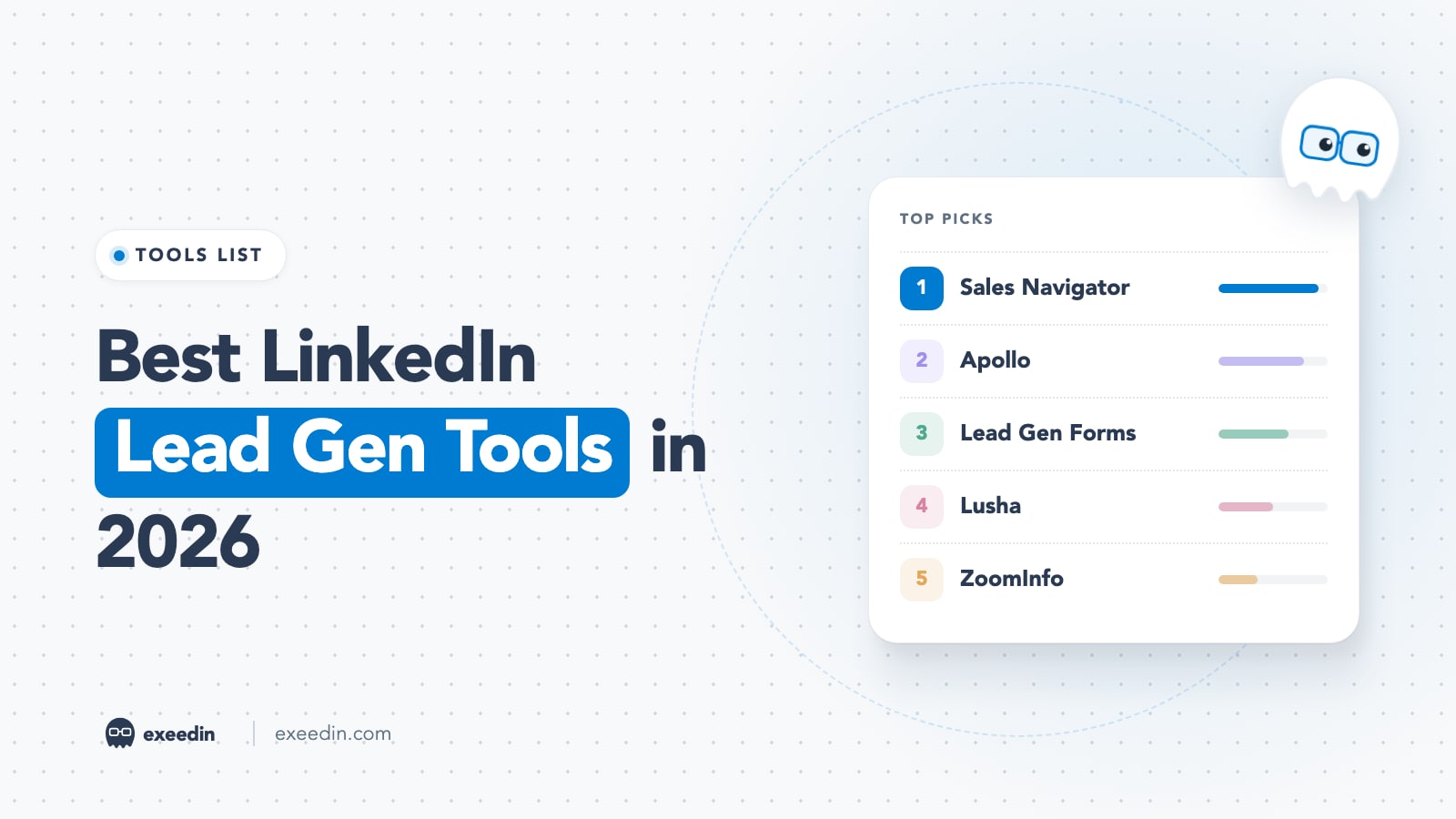
The best LinkedIn lead generation tools in 2026 are LinkedIn Sales Navigator for finding buyers, Apollo or Lusha for contact data, Lemlist or HeyReach for outreach sequences, and LinkedIn Lead Gen Forms for paid inbound. Most teams need only two of them. The bigger decision is how much LinkedIn account risk each tool adds, which we rate for every pick below.
We checked every vendor's own pricing page and LinkedIn's Help Center rules on automation and scraping before writing this. You get eleven ranked tools with real cons, a risk scale tied to LinkedIn's User Agreement, a stack for four budgets, and the content-led inbound side most roundups skip. Prices checked October 2026, in USD unless noted.
Quick comparison: LinkedIn lead generation tools at a glance
| Tool | Best for | Starting price | Free plan | Standout feature | LinkedIn risk |
|---|---|---|---|---|---|
| LinkedIn Sales Navigator | Finding and tracking the right buyers | $119.99 per month (Core) | No, 1-month trial | 50+ search filters | Low |
| Apollo | Database plus email sequences | $49 per seat per month, billed annually | Yes | Data plus sequences | Low to Medium |
| LinkedIn Lead Gen Forms | Paid inbound lead capture | Free form, ads from $10 a day | Form is free | Pre-filled ad forms | Low |
| Lusha | Quick contact lookups | $37.45 per month, billed yearly | Yes, 40 credits a month | Fast phone lookups | Medium |
| ZoomInfo | Enterprise data and intent | Custom quote only | Free trial for some use cases | Intent signals | Low to Medium |
| Surfe | Syncing prospects to your CRM | $39 per user per month, billed annually | Yes | One-click CRM sync | Medium |
| Wiza | Exporting Sales Navigator lists | $49 per user per month | Yes, 20 emails | Bulk list export | Medium to High |
| Lemlist | Email-first multichannel sequences | $55 per month, billed yearly (Email) | No, 14-day trial | Multichannel sequences | High (LinkedIn steps) |
| HeyReach | Agencies with many sender accounts | $79 per sender per month | No, free trial | Unified inbox across senders | High |
| Waalaxy | Low-cost outreach for solo users | €19 per user per month, billed yearly | No, 14-day trial | Low entry price | High |
| exeedin (content-led inbound) | Attracting leads through posts | $49 per month | No, 3-day trial | Posts in your voice | Low |
What LinkedIn's rules say, and how we rated risk
The same tool can be harmless or account-ending depending on what it does on LinkedIn. Section 8.2 of the LinkedIn User Agreement (effective November 3, 2025) lists what members agree not to do. Three items matter for lead gen:
- Using software, scripts, robots, crawlers, browser plugins and add-ons to scrape or copy the Services, including profiles and other data.
- Copying or distributing information obtained from the Services, directly or through third parties such as data aggregators or brokers.
- Using bots or other unauthorized automated methods to add or download contacts, send or redirect messages, or comment, like and share posts.
LinkedIn's Help Center article on prohibited software and extensions repeats this and warns that members who use such tools risk having their accounts restricted or shut down, and that the tools may stop working without notice. The Automated activity on LinkedIn page gives the fix after a restriction: disable the software and wait for the time shown on the notice. Our guide to unblocking a restricted LinkedIn account covers recovery.
We used a simple three-tier scale for every tool in this list:
| Risk tier | What it covers | Examples in this list |
|---|---|---|
| Low | LinkedIn's own products, apps that act through LinkedIn's official API with your permission, and data tools you use outside LinkedIn | Sales Navigator, Lead Gen Forms, the Apollo and ZoomInfo web apps, official-API content tools |
| Medium | Browser extensions that read data from LinkedIn pages you open and match it to emails or phones | Lusha, Surfe and Apollo extensions on LinkedIn profiles |
| High | Bulk list exports, and cloud or automation tools that send connection requests and messages from your account | Wiza bulk export, HeyReach, Waalaxy, Lemlist LinkedIn steps |
In March 2025, MarTech reported that the LinkedIn company pages of Apollo.io and another sales data vendor disappeared, with commentators pointing to Chrome extensions that pulled contact data from LinkedIn; LinkedIn gave no public reason. Several vendors now describe their extensions without naming LinkedIn; Surfe's pricing page calls it a "Business Network integration".
These tiers rate risk to your LinkedIn account. Data providers carry a separate privacy risk (GDPR in Europe, PDPL in Saudi Arabia and the UAE), so check how a vendor sources its data before you email from it.
Is your profile ready for buyers who check you out?
Paste your profile link and see your score right away, with clear fixes for your headline, About section and experience. Free to start, no account needed.
Or open the free LinkedIn profile checker
The 11 best LinkedIn lead generation tools in 2026
1. LinkedIn Sales Navigator: Best for finding and tracking the right buyers
Sales Navigator is LinkedIn's own prospecting product, which makes it the safest foundation for any stack. It gives you a separate search with advanced filters, saved lead and account lists, buyer intent signals on higher plans, and InMail credits for people outside your network. Our guide on building high-quality lead lists in Sales Navigator walks through the filters.
Key features: 50+ advanced search filters, lead and account lists, 50 InMails a month, and on Advanced: Buyer Intent, Relationship Explorer, TeamLink, Smart Links and team reporting. Advanced Plus adds real-time CRM sync and lead creation inside your CRM.
Pricing: Core is US$119.99 per month or US$1,079.88 per year (about $89.99 a month), and Advanced is US$159.99 per month or US$1,799.88 per year, per LinkedIn compare plans. Advanced Plus is quoted on request. Core and Advanced offer a free trial for members not already on a paid LinkedIn plan, and LinkedIn Help says it auto-renews into a paid plan one month after it starts.
- Pros: no ToS risk, the most current job and company data on LinkedIn, buying signals from activity you cannot get elsewhere.
- Cons: no email addresses or phone numbers, InMail credits run out fast, the yearly plan is a big upfront commitment for a solo seller.
Who it is for: anyone selling B2B who will use it several times a week.
2. Apollo: Best for a database plus email sequences on a budget
Apollo combines a B2B contact database, email sequences, a dialer and deal tracking. Search runs on Apollo's own data, outside LinkedIn; its Chrome extension on LinkedIn profiles is the Medium-risk part. For a direct matchup, read Sales Navigator vs Apollo.
Key features: contact data, unlimited sequences on paid plans, intent topics, website visitor identification, CRM enrichment and email warmup.
Pricing: per Apollo pricing, Free is $0 with 900 credits per seat per year. Basic is $49, Professional $79 and Organization $119 (minimum 3 seats), all per seat per month billed annually; Apollo says annual billing saves 24%. Paid plans offer a 14-day trial, and unused credits expire at the end of each billing cycle.
- Pros: the most capability per dollar in this list, a usable free plan, outreach and data in one place.
- Cons: credits do not roll over, monthly billing costs more than the headline price, so test match rates on your own market before buying.
Who it is for: founders and small teams who want data and sequences in one tool.
3. LinkedIn Lead Gen Forms: Best for paid inbound lead capture
Lead Gen Forms are forms attached to LinkedIn ads. When a member taps your call to action, LinkedIn pre-fills their contact and profile details, so they submit in a couple of taps. You build them in Campaign Manager and download leads as CSV or sync them to a CRM.
Key features: pre-filled fields, custom questions, CRM sync and cost-per-lead reporting. LinkedIn's Lead Gen Forms help page lists Sponsored Content and messaging ads as supported formats.
Pricing: the form itself costs nothing; LinkedIn says there is no additional cost outside the associated ad sets. Ads need a minimum daily budget of $10, or $100 for a new lifetime budget, per LinkedIn Marketing Solutions. Older guides describe free lead forms on company Pages, but LinkedIn's Help Center now says lead gen forms for Pages and Showcase Pages are no longer available.
- Pros: zero account risk, high form completion because fields are pre-filled, leads arrive already interested.
- Cons: you pay for every click or impression, pre-filled leads can be low intent without a qualifying question.
Who it is for: companies with an ad budget and a clear offer. Our breakdown of LinkedIn ads vs organic helps you decide if paid is worth it yet.
4. Lusha: Best for quick contact lookups
Lusha is a contact data provider best known for its browser extension, which reveals emails and phone numbers while you browse profiles and company sites.
Key features: verified emails and phones, bulk enrichment, lookalikes, buying intent topics, and an API on higher plans.
Pricing: per Lusha pricing, Free gives 40 credits a month. Starter is $37.45 per month billed yearly with 4,800 credits a year, Pro is $52.45 per month billed yearly with 7,200 credits, and Premium is $299.95 per month billed yearly with 40,800 credits and 5 seats. Prices move with the credit slider. An email costs 1 credit and a phone number costs 5.
- Pros: very fast to use, a real free plan, phone numbers are a strength.
- Cons: phone reveals burn credits five times faster, the extension on LinkedIn is Medium risk, entry plans suit one person more than a team.
Who it is for: salespeople who need a handful of accurate phone numbers each week.
5. ZoomInfo: Best for enterprise data and intent
ZoomInfo is the enterprise option: a large company and contact database with intent signals, website visitor identification, enrichment and a sales workspace on top. Most teams use it outside LinkedIn, inside ZoomInfo or their CRM, which keeps the account risk low.
Key features: contact and company data, intent signals, CRM enrichment, account-based marketing and lead routing.
Pricing: ZoomInfo does not publish prices. Its pricing page says it builds custom packages based on your use case, with free trials for some use cases and a sales call for others.
- Pros: depth of data, strong intent signals, built for RevOps teams with complex CRMs.
- Cons: no public pricing, annual contracts, more tool than a solo seller or small agency needs.
Who it is for: mid-market and enterprise teams with a RevOps owner.
6. Surfe: Best for syncing LinkedIn prospects to your CRM
Surfe is a browser extension that puts your CRM next to the profile you are viewing. One click adds the person to HubSpot, Salesforce or Pipedrive with an enriched email and phone, so reps stop copying and pasting.
Key features: email and mobile finding, email validation, two-way CRM sync, and on Pro: lookalikes, a list builder and Lemlist or Outreach integrations.
Pricing: per Surfe pricing, Free is $0 with 20 email and 5 mobile finds a month. Essential is $49 per user per month (or $39 billed annually) with 150 email finds a month, and Pro is $89 per user per month (or $79 billed annually) with 1,000 email finds a month. Enterprise is custom.
- Pros: saves real admin time, clean CRM records, a free plan to test it.
- Cons: an extension reading LinkedIn pages is Medium risk, credits are modest on Essential, it adds little if you do not use a CRM.
Who it is for: reps who prospect daily and live in their CRM.
7. Wiza: Best for exporting Sales Navigator lists
Wiza exports saved searches and adds verified emails and phone numbers. A customer quoted on the Wiza homepage praises its one-click export from Sales Navigator, which is exactly the kind of bulk copying section 8.2 describes, so we rate bulk exports High risk.
Key features: a Chrome extension, bulk export to CSV or CRM, real-time email verification and phone finding.
Pricing: per Wiza pricing, Free includes 20 valid emails and 5 phone numbers. Monthly plans are Starter at $49, Email at $99 and Email + Phone at $199, per user per month. Paying yearly, Email is $83 a month ($990 a year) and Email + Phone is $166 a month ($1,990 a year), with unlimited reveals.
- Pros: fastest route from a saved search to a usable list, you pay for valid emails only on credit plans.
- Cons: bulk export sits squarely in LinkedIn's scraping rules, Sales Navigator is a separate bill, monthly plans have tight email caps.
Who it is for: outbound teams who accept the risk of list exports.
8. Lemlist: Best for email-first multichannel sequences
Lemlist is a cold email platform that adds LinkedIn, calls, SMS and WhatsApp steps on its Multichannel plan. Because email carries most of the volume, you can keep LinkedIn touches light: a profile visit, an invitation, one message.
Key features: email sequences with warm-up, an email and phone finder, a lead database, and on Multichannel: LinkedIn automation, a dialer and SMS.
Pricing: per Lemlist pricing, Email is $69 per month or $55 billed yearly, and Multichannel is $109 per user per month or $87 billed yearly. There is a 14-day free trial of Multichannel features.
- Pros: strong email deliverability tools, one sequence across channels, LinkedIn can stay a small part of the mix.
- Cons: LinkedIn steps need Multichannel and carry High risk, add-ons raise the real cost.
Who it is for: teams whose outbound already runs on email.
9. HeyReach: Best for agencies running many sender accounts
HeyReach is a cloud LinkedIn outreach tool priced per sender, with one inbox for every account you connect. Agencies run several clients from it, each in its own workspace.
Key features: automated connection requests, messages and follow-ups, per-sender daily limits, a unified inbox, client workspaces, and integrations with Clay and HubSpot.
Pricing: per HeyReach pricing, Growth is $79 per sender per month, or $64 per seat per month billed yearly. Agency is $999 per month with 25 senders and Unlimited is $2,999 per month. A free trial is available.
- Pros: built for multi-account teams, per-sender caps, one shared inbox.
- Cons: sending invitations and messages from your account is the clearest case of section 8.2, and costs grow with every sender.
Who it is for: outbound agencies that accept the risk. Our LinkedIn automation tools ranking compares HeyReach with Expandi, Dripify and others on safety.
10. Waalaxy: Best for low-cost outreach for solo users
Waalaxy is the cheapest serious outreach tool here. According to its help center, it became fully cloud-based on July 1, 2026 and the old Chrome extension was removed from the Chrome Web Store, so guides that describe the extension are out of date.
Key features: pre-built invite and message sequences, automated follow-ups, an email finder, and LinkedIn plus email campaigns on Business.
Pricing: per Waalaxy pricing, on yearly billing Pro is €19 per user per month with 300 invitations a month, Advanced is €49 and Business is €69, each with 800 invitations a month. Waalaxy says yearly billing saves up to 50%, so monthly billing costs more. Plans include a 14-day free trial.
- Pros: low entry price, monthly invitation caps keep beginners at sane volumes, easy to learn.
- Cons: High risk like every tool that sends invitations for you, priced in euros, the inbox costs extra.
Who it is for: freelancers and first-time founders testing outbound on a small budget. Before you start, read whether automated messages hurt your credibility.
11. exeedin: Best for content-led inbound leads
Every tool above helps you go to buyers. Content-led inbound works the other way: you post about the problems you solve, comment in your niche, and keep a profile that converts visitors, so prospects come to you and your outreach lands warmer. Our guide on generating leads with organic outreach only covers the method.
This app is a LinkedIn ghostwriter for that side of the job. It learns your voice from your real posts, writes drafts you edit and approve, designs PDF carousels, and schedules posts that publish through LinkedIn's official API. Its Engage page suggests comments on recent posts from people you choose, which you edit and post yourself. Profile Evaluation scores each section with suggested rewrites, and the free profile evaluator gives you a score without an account.
Pricing: Creator is $49 per month, or $39 per month billed yearly, after a 3-day free trial with no credit card, per the pricing page. Business is $59 per seat per month for teams.
- Pros: Low risk because posting uses the official API and every comment is posted by you, it writes in your voice, it works in English and Arabic.
- Cons: it does not find, scrape or export leads and sends no DMs or connection requests, so you still need a data or prospecting tool for outbound; there is no free plan; inbound takes weeks of consistent posting before leads show up.
Who it is for: founders, consultants and B2B teams who want posts and comments to bring in leads. For comment ideas that earn profile views, see how to write LinkedIn comments that feel human.
LinkedIn lead gen stack by budget
Pricing per person per month, using only the verified prices above. Annual figures are the monthly equivalent of a yearly plan.
| Budget | Outbound stack | Inbound stack | Risk |
|---|---|---|---|
| $0 | LinkedIn's free search plus Apollo Free (900 credits a year) or Lusha Free (40 credits a month) for emails | Post 2 to 3 times a week yourself, comment daily in your niche, check your profile with a free evaluator | Low (Medium if you use extensions on LinkedIn) |
| Under $100 | Sales Navigator Core yearly ($89.99), or Apollo Basic ($49) plus Lusha Starter ($37.45) for $86.45 | exeedin Creator ($49 monthly, $39 yearly) plus LinkedIn's free search | Low to Medium |
| $100 to $300 | Sales Navigator Core ($119.99) plus Apollo Basic ($49) for $168.99, or add Lemlist Email yearly ($55) for $223.99 | Sales Navigator Core yearly ($89.99) plus a ghostwriter ($39 yearly) for $128.99, plus a small Lead Gen Forms test from $10 a day | Low |
| $300+ | Sales Navigator Advanced ($159.99) plus Apollo Professional ($79) plus HeyReach Growth ($79) for $317.99 per rep, or ZoomInfo (custom quote) | Sales Navigator Advanced plus a ghostwriter plus an always-on Lead Gen Forms campaign | Outbound High with HeyReach; inbound Low |
Lead Gen Forms ad spend sits on top of any tool cost: $10 a day is about $300 a month on its own. The cheapest stack that books meetings is often Sales Navigator plus steady posting, since prospects who know your posts tend to reply more readily.
How to choose a LinkedIn lead generation tool
Work through these questions in order.
- Where do your buyers already pay attention? If they read LinkedIn daily, start with Sales Navigator and content. If they respond to email, add a data tool like Apollo or Lusha.
- How much account risk will you accept? If losing your LinkedIn account for a week would hurt, stay in the Low tier: Sales Navigator, Lead Gen Forms, data tools used outside LinkedIn, and official-API content tools.
- Do you need contact details or conversations? Data tools find emails and phones; Sales Navigator and content start conversations.
- Is your profile ready? Every tool sends prospects to your profile, so fix the headline and About section first.
Frequently Asked Questions
What is the best LinkedIn lead generation tool?
For most B2B sellers, LinkedIn Sales Navigator is the best starting point because it is LinkedIn's own product, so it carries no terms-of-service risk, and its filters and alerts find active buyers. Add one data tool such as Apollo or Lusha if you need emails, and post consistently if you want inbound leads.
Is using LinkedIn lead generation tools against LinkedIn's terms?
Some are and some are not. LinkedIn's own products, like Sales Navigator and Lead Gen Forms, are allowed, as are apps that act through LinkedIn's official API with your permission. Section 8.2 of the User Agreement prohibits browser plugins that scrape or copy data and bots that send invitations or messages, and LinkedIn's Help Center warns that accounts using them can be restricted or shut down.
Can I do LinkedIn lead generation for free?
Yes, with limits. LinkedIn's free search, a consistent posting habit and daily comments on posts in your niche cost nothing. the Apollo Free plan includes 900 credits per seat per year, the Lusha Free plan gives 40 credits a month, and Surfe and Wiza have small free tiers. Paid tools mainly save time and add volume.
Is Sales Navigator worth it for lead generation?
It is worth it if you prospect on LinkedIn several times a week. Core costs US$119.99 a month or US$1,079.88 a year, and adds advanced filters, lead lists, alerts and 50 InMails a month. It does not give emails or phone numbers, so pair it with a data tool if you sell by email.
What is the difference between outbound and inbound LinkedIn lead generation?
Outbound means you find prospects and contact them first, using Sales Navigator, data tools and outreach sequences. Inbound means prospects come to you, through posts, comments, a strong profile or Lead Gen Forms on ads. Outbound starts faster but carries more account risk when automated; inbound takes weeks to build and makes outbound messages warmer.