40 ChatGPT Prompts for LinkedIn Posts That Sound Like You (2026)
40 copy-paste ChatGPT prompts for LinkedIn posts, hooks, carousels, comments and profiles, plus the voice setup and ban list that stop drafts sounding generic.
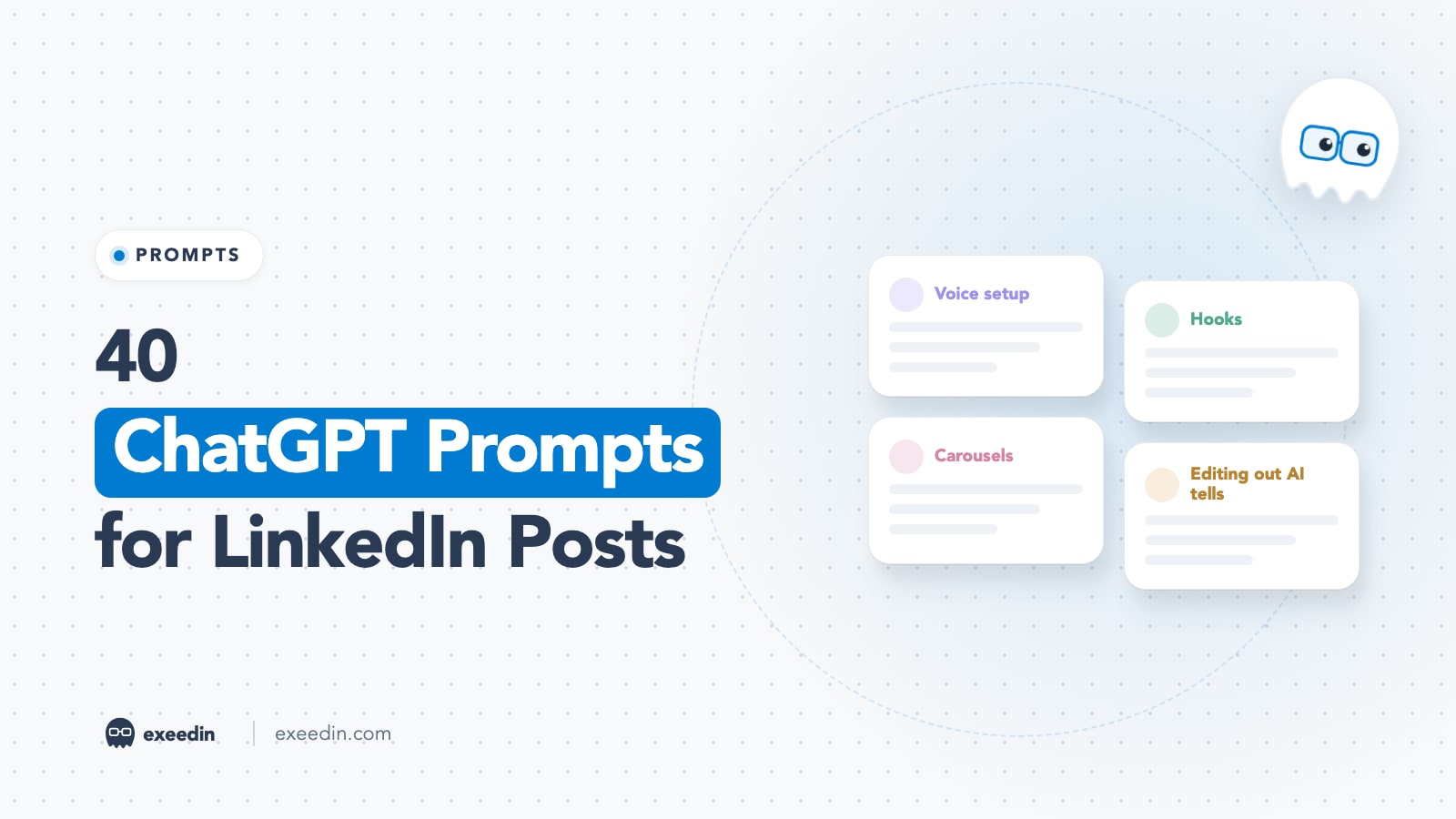
The best ChatGPT prompts for LinkedIn posts give the model three things before asking for a draft: your real past posts so it can copy your voice, a list of phrases it must never use, and the specific facts of the story. The 40 copy-paste prompts below cover voice setup, hooks, full posts, carousels, comments, profile copy, transcripts and AI-tell editing.
We reviewed the top-ranking prompt guides in October 2026, kept what they get right, and added the parts they skip: voice setup, Arabic, transcripts and an editing pass for AI tells. Every prompt uses [brackets] for the parts you fill in. Start with the voice setup group, because the later prompts refer back to what it produces (MY VOICE, NEVER USE, MY READER and PROOF BANK).
Quick reference: which prompts to use when
| Group | Prompts | Use it when | Time needed |
|---|---|---|---|
| Voice setup | 1 to 5 | You start, or your drafts sound like everyone else | 20 minutes once |
| Hooks | 6 to 11 | You have a topic but no first line | 2 minutes |
| Full posts | 12 to 19 | You have the facts and need a draft | 5 minutes |
| Carousels | 20 to 24 | A post deserves a swipeable version | 10 minutes |
| Comments | 25 to 28 | You want to engage without sounding canned | 1 minute |
| Headline and About | 29 to 32 | Your profile needs a rewrite | 15 minutes |
| Transcripts | 33 to 35 | You recorded a talk, podcast or call | 10 minutes |
| Editing out AI tells | 36 to 40 | Before you hit post, every time | 3 minutes |
Why raw ChatGPT posts sound generic, and how to fix it
Ask ChatGPT for "a LinkedIn post about leadership" and you get the statistical average of every leadership post it has seen. The vocabulary is safe, the rhythm repeats, and the story is invented. Readers have learned to spot it. When Originality.ai ran its detector over 8,795 long LinkedIn posts, it estimated that 54 percent of those published by October 2024 were likely AI-generated, as The Register reported. LinkedIn's response in the same piece was that much of this content is AI-assisted and that it acts to keep low-quality and duplicate content from being broadly promoted.
Detector numbers are estimates, but the practical point holds: a post that reads like the average post gets treated like one. Three fixes do most of the work.
- Feed it your own past posts. Five to ten real posts give ChatGPT your sentence length, openings, closings and pet phrases. Prompt 1 turns them into a reusable voice profile.
- Give it a ban list. Models drift back to the same filler openers, buzzwords and dramatic structures. Naming them in every chat (prompt 2) removes most of them before you edit.
- Supply the specific details. A number, a client's exact words, the city, the time it took. ChatGPT cannot know these, and when you leave them out it fills the gap with something vague or made up. Prompt 4 builds a bank of them.
There is a fourth, quieter fix: ask for less. A prompt that requests 150 words leaves less room for padding than one that requests a "comprehensive post". We go deeper on why so much of the feed now sounds alike in why every LinkedIn post feels AI-written.
How to set up ChatGPT so you are not pasting the same context every time
Once you have your master instruction block (prompt 5), store it where ChatGPT will reuse it automatically. On the ChatGPT pricing page, Projects, scheduled tasks and custom GPTs are listed under Plus, and OpenAI's help center says the lower-cost Go plan also includes access to projects and custom GPTs, subject to availability. Plus is $20 a month billed monthly, according to OpenAI's help center (prices checked October 2026).
- Projects: create a project called LinkedIn, paste the instruction block into its instructions, and upload a document with your best posts. Every chat inside the project starts with that context.
- Custom GPT: useful if a team member or assistant drafts for you, because they can use the same setup.
- Memory: helpful, but do not rely on it alone. Memory is general, and your LinkedIn rules are specific.
The same prompts work in Claude Projects and Gemini Gems with almost no changes. If you are choosing between the three, our ChatGPT vs Claude vs Gemini comparison for LinkedIn runs all three on the same brief.
Get 10 hooks for your next post
Type what your post is about and get 10 opening lines from different proven angles. Free, no signup.
Or open the free LinkedIn hook generator
Voice setup prompts (run these first)
Most prompt lists skip this step, and it is the reason their outputs all sound alike. Spend 20 minutes here once and every prompt below gets better, because ChatGPT is no longer guessing who you are.
1. The voice profile builder
Run this once, before anything else. It turns your best past posts into a reusable style guide, which is the single biggest fix for generic output.
I am going to paste 5 to 10 of my own LinkedIn posts below. Do not rewrite them. Study them and produce a voice profile I can reuse: (1) average sentence length and how often I use one-line paragraphs, (2) words and phrases I repeat, (3) how I open posts, (4) how I close posts, (5) my tone in three adjectives, (6) things I never do (for example emojis, hashtags, questions at the end), (7) the kinds of evidence I use (numbers, client stories, personal moments). Output it as a bullet list titled MY VOICE. Here are the posts: [paste posts, separated by ###]
2. The ban list builder
A ban list is the second half of voice setup. Generic AI drafts lean on the same handful of phrases, so naming them up front saves an editing pass later.
Write me a list of 30 words, phrases and sentence patterns that make LinkedIn posts sound machine-written. Include filler openers, motivational cliches, corporate buzzwords, rhetorical structures that repeat across AI posts, and punctuation habits. Then compare that list to the voice profile above and add any phrases I personally overuse. Output a final list titled NEVER USE that I can paste into future chats.
3. The audience snapshot
I write on LinkedIn for [describe audience: role, seniority, industry, region]. Describe this reader in 8 bullets: what they are measured on at work, what annoys them this quarter, what they already know (so I should not explain it), what they would forward to their boss, and the words they use for their own problems. Keep it specific to [industry] in [country or region]. Title it MY READER.
4. The proof bank
AI cannot invent your experience, and it should not try. Give it raw material once and reuse it for months.
Interview me. Ask me 12 short questions, one at a time, to collect stories, numbers and opinions I can use in LinkedIn posts: a client result, a mistake that cost me something, a process I do differently from my peers, a belief most people in [industry] disagree with, a number from my work I am proud of, and a moment that changed how I work. Wait for each answer before asking the next. When we finish, summarise everything as PROOF BANK with one line per item.
5. The master instruction block
Combine MY VOICE, NEVER USE, MY READER and PROOF BANK into one instruction block under 400 words that I can reuse. Start with: You are helping me write LinkedIn posts in my own voice. Add these rules: use only facts from PROOF BANK or facts I give you in the chat, never invent numbers or stories, keep posts under [number] words, write in [English or Arabic], and ask me one clarifying question if the brief is vague instead of guessing.
Hook prompts
The first line decides whether anyone reads the rest. These prompts produce options fast; your job is to choose. For more patterns to feed into them, our guide on writing LinkedIn hooks that stop the scroll breaks down the formulas behind each structure.
6. Ten hooks from one idea
Volume first, judgment second. You pick, ChatGPT drafts.
Using MY VOICE and NEVER USE, write 10 opening lines for a LinkedIn post about [topic]. The reader is MY READER. Each hook must be under 15 words, must contain a specific detail (a number, a place, a name, a time), and must make sense without the rest of the post. Use a different structure for each: a number, a short scene, a blunt opinion, a question I would actually ask, a mistake, a before and after, a quote from a client, a list promise, a contrarian claim, and a surprising comparison. Label each structure.
7. The specific-detail hook
The fastest way to sound human is a detail no one else could write.
Here is a real moment from my week: [describe it in 2 to 3 sentences]. Write 5 hooks that open with the most concrete detail in that moment, the exact number, object, quote or time. No setup sentences, no adjectives like amazing or incredible. Keep each under 12 words.
8. The hook critic
Score these hooks from 1 to 10 for a LinkedIn reader who is [MY READER]. Judge on: would they stop scrolling, is the promise clear, is there a specific detail, does it sound like a person talking. Explain each score in one line, then rewrite the two weakest ones. Hooks: [paste hooks]
9. The opinion hook
I believe [your opinion about your industry]. Write 5 hooks that state this opinion plainly in the first line, without hedging words like maybe or arguably. Then list the 3 strongest objections a smart reader would raise, so I can answer them in the post.
10. The see-more line
Here is my hook: [hook]. Write 5 options for the second line that make someone click see more. Each should add tension or a concrete stake (money, time, a decision), not repeat the hook. Under 14 words each.
11. The hook in Arabic
If you post for GCC or MENA audiences, ask for Arabic hooks directly instead of translating English ones, which tends to produce stiff phrasing.
Write 8 LinkedIn hooks in Arabic about [topic] for [audience] in [country]. Use [Modern Standard Arabic or a light Gulf, Levantine or Egyptian flavor]. Keep technical terms like [CRM, MVP, AI] in English. Do not translate English idioms literally. Each hook under 12 words.
Full post prompts
Every prompt here assumes you have pasted your master instruction block first. Keep posts well under LinkedIn's 3,000 character limit for posts; most of the prompts ask for 150 to 260 words because that range is easy to read on a phone. If you prefer a structure to start from, our collection of LinkedIn post templates pairs well with these prompts.
12. The story post
The most reliable format for personal brands, and the one AI ruins most often by inventing the story. Give it the facts.
Write a LinkedIn post using MY VOICE and NEVER USE. Story facts (use only these): [what happened, who was involved, what I did, what changed, one number]. Structure: a hook with the most specific detail, 3 to 5 short paragraphs telling the story in order, one paragraph on what I would do differently, and a closing line that states the lesson in plain words. 150 to 250 words. No hashtags. No question at the end unless it is a question I would really ask a colleague.
13. The how-to post
Write a LinkedIn post that teaches [skill or process] to MY READER. Use 5 numbered steps. Each step must include one specific example, tool, number or mistake from PROOF BANK. Open with the result the reader gets, not with a definition. End with the one step most people skip. Under 220 words.
14. The contrarian post
Pairs with the opinion hook above.
Write a LinkedIn post arguing that [common belief in my industry] is wrong for [specific type of company or person]. Make the case with 2 examples from PROOF BANK and answer the strongest objection fairly. Avoid the pattern where a sentence denies one thing and then asserts another for drama. State my view directly. 180 to 260 words.
15. The lessons list
Write a LinkedIn post listing [number] lessons from [experience, for example 3 years running an agency in Dubai]. Each lesson is one bold-free line followed by one sentence of proof from my real experience: [paste raw notes]. Cut any lesson I cannot back with a detail. Order them from most surprising to least.
16. The client result post
Results posts sell without pitching, as long as the numbers are real.
Write a LinkedIn post about a result for a client in [industry]. Facts: starting point [x], what we changed [y], result [z] over [time period]. The client has [approved or not approved] being named. Focus on the decision that made the difference, not on us. No sales pitch. One soft line at the end about who this approach suits. 150 to 220 words.
17. The behind-the-scenes post
Write a LinkedIn post showing how I actually do [task] each week. Details: [tools, time it takes, what I check, what I throw away]. Write it like a colleague explaining their routine over coffee. Include one thing I stopped doing and why. Under 200 words.
18. The news reaction post
Here is a news item or report: [paste summary and link]. Write a LinkedIn post that gives my reaction as a [role] in [region]. One sentence summarising the news, then my view on what it means for MY READER, with one practical implication for next month. Do not exaggerate the news. Do not add facts that are not in the source.
19. Three angles before one draft
I want to post about [topic]. Before writing anything, give me 3 different angles: one personal story, one practical how-to, one opinion. For each, write the hook and a 2 line outline. I will choose one and then you write the full post in MY VOICE.
Carousel prompts
ChatGPT can write slide copy well, and it can generate images on paid plans, but text-heavy slides still need a layout tool to look clean. We tested what actually works in Can ChatGPT generate LinkedIn carousels?. Use these prompts for the words, then move the copy into a designer.
20. The carousel outline
ChatGPT is good at structure and weak at layout, so ask for slide copy, then design elsewhere.
Turn this idea into a LinkedIn carousel of 8 slides: [idea or paste post]. Slide 1: a hook under 10 words. Slides 2 to 7: one point each, a headline under 8 words and a supporting line under 20 words. Slide 8: a summary and a soft call to save the post. Output as a numbered list, slide by slide, with no design notes.
21. Post to carousel
Here is a LinkedIn post that performed well for me: [paste]. Convert it into 6 to 8 carousel slides without adding new claims. Keep my wording where possible. Each slide must stand alone if someone screenshots it.
22. The checklist carousel
Create a carousel checklist titled [title] for MY READER. 7 slides, each with one checkbox item written as an action (start with a verb) and one line on how to check it is done. Final slide: the most common mistake. Keep it specific to [industry].
23. The carousel caption
Write the post text that goes above this carousel: [paste slide copy]. 60 to 100 words. Open with the problem the carousel solves, mention how many slides, and end with one line telling people which slide to look at first. No hashtags.
24. Slide copy tightener
Cut every slide below to half its words without losing the point. Replace abstract nouns with concrete ones. Flag any slide that still has more than 25 words. Slides: [paste]
Comment prompts
Use these to get unstuck, then rewrite the comment in your own words before posting. Comments are short, so any AI phrasing stands out even more than in posts. Our guide on writing LinkedIn comments that feel human covers what to say when you have nothing to add.
25. The thoughtful comment
Comments on bigger creators' posts are one of the cheapest ways to get seen, but generic ones are ignored.
Here is a LinkedIn post I want to comment on: [paste]. Write 3 comment options in MY VOICE, each 2 to 4 sentences. Option 1 adds a specific example from my work. Option 2 respectfully disagrees with one point and explains why. Option 3 asks a precise follow-up question the author would want to answer. No praise openers like great post.
26. The reply to a commenter
Someone commented this on my post: [comment]. My post was about [topic]. Write 3 short replies (under 40 words): one that thanks them with a specific reference to what they said, one that adds a new detail, and one that asks them a question back. Sound like me, not like a brand account.
27. The disagreement reply
Handling pushback well is a credibility signal.
A reader disagreed with my post: [comment]. I partly agree with them about [point] and still disagree about [point]. Draft a calm reply under 60 words that acknowledges what they got right, restates my view once with one reason, and leaves the door open. No sarcasm.
28. The comment-to-post upgrade
Here is a comment I wrote on someone else's post that got a lot of replies: [paste]. Expand it into a standalone LinkedIn post of 150 to 200 words in MY VOICE. Do not mention the original post or author.
Headline and About section prompts
Profile copy is where ChatGPT saves the most time, because the structure is predictable. For finished examples to compare against, see our LinkedIn headline examples and these About section examples.
29. Headline options
Your headline follows every comment you leave, so it does real work.
Write 10 LinkedIn headline options for me. Facts: role [x], who I help [y], the result I deliver [z], proof [a number or credential], location or market [GCC, UK, etc.]. Mix three styles: role plus outcome, outcome plus proof, and niche plus point of view. Keep each within LinkedIn's headline character counter and avoid vague words like passionate, guru or ninja.
30. The About section draft
Most About sections read like a CV. This prompt makes it read like a person.
Write my LinkedIn About section in first person using MY VOICE. Structure: an opening line about the problem I solve, a short paragraph on how I got here, 3 to 5 results with numbers from PROOF BANK, who I work with and who I do not, and a closing line telling people how to reach me. Keep paragraphs to 2 to 3 sentences. No buzzwords.
31. The headline keyword check
List the 15 search terms a [recruiter or buyer] would type into LinkedIn to find someone like me: [role, industry, region]. Then check my current headline and About section [paste] and tell me which terms are missing and where to add them naturally.
32. The profile critique
Act as a skeptical [hiring manager or buyer] in [industry]. Read my headline and About section [paste] and tell me the 5 things that would make you scroll past, in order of importance, with a suggested fix for each.
Repurposing a transcript
Paste the transcript of a talk, podcast or client call and let ChatGPT find the posts inside it. Your spoken words are already in your voice, which makes this the most authentic way to use AI. If the source is a YouTube video, the free YouTube to LinkedIn tool pulls the transcript and drafts posts in one step.
33. Transcript to post ideas
A 30 minute talk, podcast or webinar usually holds five or more posts.
Here is a transcript of a [talk, podcast, meeting, webinar] where I spoke: [paste]. List the 8 most post-worthy moments: strong opinions, stories, numbers and quotable lines. For each, give the timestamp or the quote, a suggested post angle, and a hook. Use only what I actually said.
34. Transcript to one post
Keep your spoken phrasing; it is usually more natural than anything ChatGPT writes.
From the transcript above, write a LinkedIn post about moment [number]. Keep my exact phrases where they are clear, and only fix grammar. Cut filler words. 150 to 220 words. Add nothing I did not say.
35. Transcript to a series
Plan a 5 post LinkedIn series from this transcript. Each post must stand alone, cover a different moment, and use a different format (story, how-to, opinion, list, question). Give me the hook and a 3 line outline for each. Do not repeat the same example twice.
Prompts for editing out AI tells
These prompts work on any draft, including ones you wrote yourself. Run the audit first, then the specificity pass, and finish by checking the result with a second opinion such as the free AI slop detector, which grades how AI-sounding a post reads.
36. The AI tells audit
Run every draft through this before you post, whoever wrote it.
Audit this LinkedIn draft for signs it was written by AI: [paste]. Flag: filler openers, motivational cliches, buzzwords, repeated sentence rhythms, three-item lists that appear by habit, dramatic one-word sentences, fake suspense, rhetorical questions with obvious answers, and any claim with no specific detail. Quote each problem line and suggest a plain rewrite. Do not rewrite the whole post.
37. The specificity pass
Generic posts lack nouns. This prompt forces them in.
For every sentence in this draft that could appear in anyone's LinkedIn post, ask me one question that would let me replace it with something only I could write (a number, a name, a place, a mistake). List the questions. Draft: [paste]
38. The dash and punctuation cleaner
Many readers now associate long dashes and stacked colons with AI drafts, so strip them out.
Rewrite this draft with these punctuation rules: no long dashes of any kind, at most one colon, no semicolons, no ellipses, no emojis unless I used them in the original. Use commas and full stops instead. Change nothing else. Draft: [paste]
39. The read-aloud test
Read this draft as if I were saying it to a colleague over coffee. Mark every sentence I would never say out loud and rewrite only those, using shorter, plainer words. Keep my facts unchanged. Draft: [paste]
40. The ending fixer
AI drafts love a tidy moral and a generic question. Real posts often just stop.
Give me 5 alternative endings for this post: one that stops on the last useful point, one with a specific question only my readers could answer, one with a practical next step, one with a short personal admission, and one with a link-free resource suggestion. No phrases like what do you think or let me know in the comments. Post: [paste]
A 15 minute weekly routine using these prompts
- Monday, 5 minutes: paste one real moment from last week into prompt 19 (three angles) and pick one.
- Monday, 3 minutes: run prompt 6 for ten hooks, then prompt 8 to grade them. Choose the hook yourself.
- Tuesday, 5 minutes: draft with the matching full post prompt (12 to 17).
- Tuesday, 2 minutes: run prompt 36 (AI tells audit) and fix the flagged lines by hand. Read it aloud once.
- Through the week: use prompts 25 and 26 for two thoughtful comments a day on posts from people your readers follow.
If you would rather not run this routine by hand, a dedicated LinkedIn ghostwriter such as exeedin keeps your voice profile, rules and past posts on file, so every draft starts from your style, and it schedules the approved post through LinkedIn's official API. The prompts above still work as a free alternative.
Common problems and how to fix them
Why does ChatGPT keep adding emojis and hashtags?
Because most LinkedIn posts in its training data have them. Put "no emojis, no hashtags" in your master instruction block and repeat it in the prompt when it matters. If it still adds them, paste the draft back and ask it to remove them without changing anything else.
Why do all my ChatGPT posts sound the same?
You are probably giving it a topic instead of material. Topics produce averages. Give it a specific moment, number or opinion (prompts 4 and 7) and vary the format across the week.
Why does ChatGPT make up stories and numbers?
It fills gaps. Add a rule that it may only use facts you supply, and ask it to write [ADD DETAIL] where something is missing instead of inventing it. Never post a number you cannot source.
Why are the posts too long?
Ask for a word count, not a character count, and keep it between 150 and 250 words for most posts. Then ask it to cut 20 percent. Shorter drafts also leave fewer places for AI phrasing to hide.
Frequently Asked Questions
What is the best ChatGPT prompt for a LinkedIn post?
The best single prompt combines your voice, a ban list and real facts: paste five of your past posts, list the phrases to avoid, describe one specific moment with a number in it, and ask for 150 to 250 words with a hook that opens on the most concrete detail. Prompt 12 in this guide follows that structure for story posts.
How do I make ChatGPT write in my own voice?
Give it examples, then make it describe them. Paste five to ten of your real LinkedIn posts and ask ChatGPT to build a voice profile covering sentence length, openings, closings, tone and things you never do. Save that profile in a Project or custom instructions and paste it at the start of every LinkedIn chat.
Can LinkedIn detect ChatGPT posts?
LinkedIn has said it does not track how often generative AI is used in posts, but it does act on low-quality and duplicate content so it is not broadly promoted. Readers, on the other hand, recognise generic AI phrasing quickly. Specific details from your own experience are the best protection, whatever tool wrote the first draft.
Is it okay to post AI-assisted content on LinkedIn?
Yes, as long as the substance is yours. LinkedIn told The Register it does not track how often generative AI is used in posts and focuses instead on demoting low-quality and duplicate content. A safe rule: every post should carry your own experience and facts, and you should be able to defend every sentence if a client asks.
Should I use ChatGPT Free or Plus for LinkedIn posts?
Free is enough for hooks, comments and short edits. Plus, at $20 a month according to OpenAI's help center, adds Projects and custom GPTs, which let you store your voice profile so you stop pasting it every time. If you post weekly or more, saved context is worth more than any single prompt.
How many words should a LinkedIn post be?
LinkedIn allows up to 3,000 characters in a post. Most readable posts land between 150 and 300 words, which fits comfortably on a phone screen after a click on see more. Ask ChatGPT for a word range, then cut 20 percent; tighter drafts read as more human and hold attention longer.