Best LinkedIn Post Format in 2026: Carousel vs Video vs Text Compared
Document carousels lead 2026 reach and engagement data, images are close behind, video has lost reach and text still wins comments. Compare all 9 formats with data.
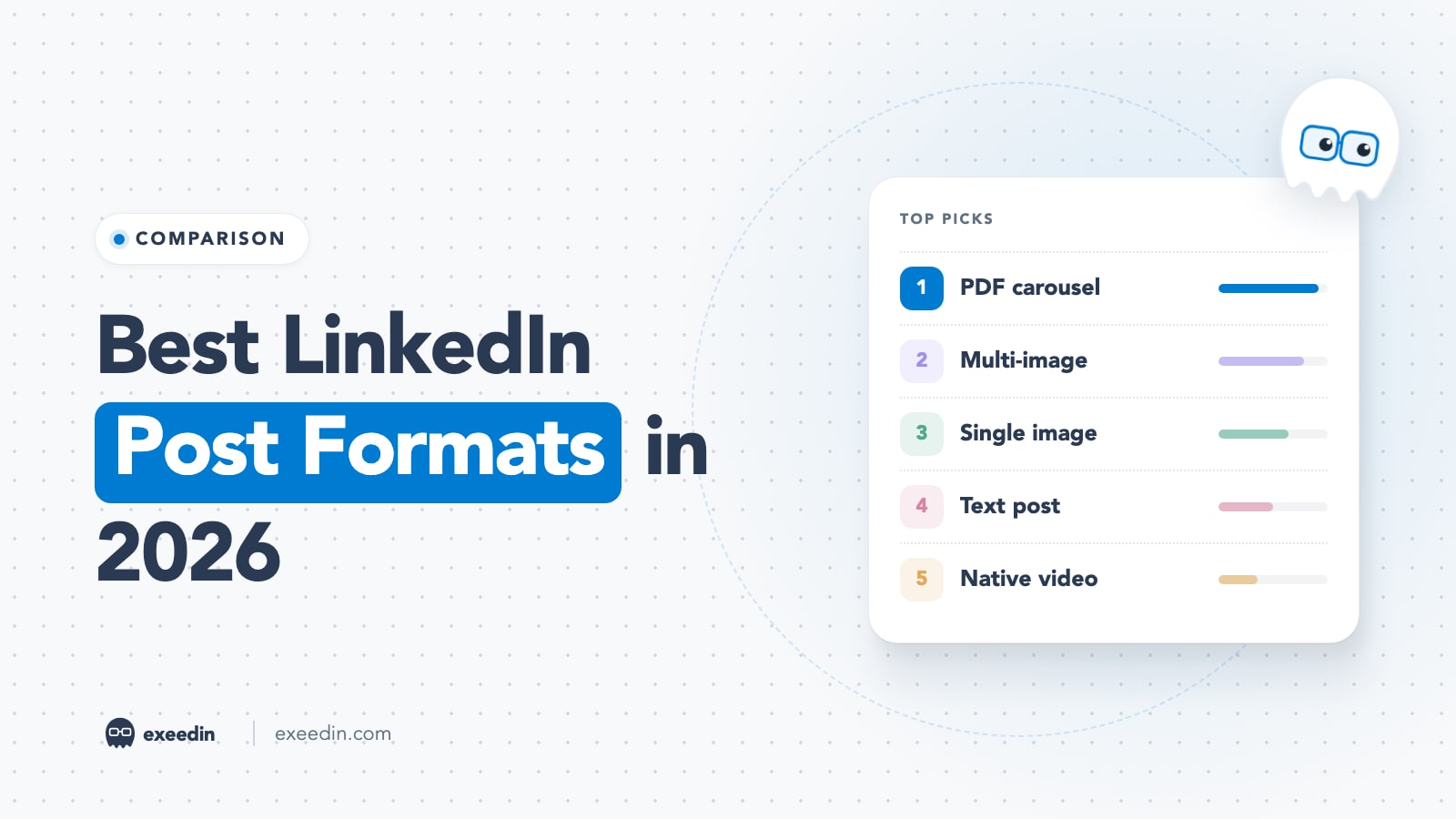
The best LinkedIn post format in 2026, by the data, is the document post (a PDF carousel). It had the highest engagement rate for Company Pages in Socialinsider's benchmarks and the highest median reach for personal profiles in AuthoredUp's data. Multi-image and single image posts come next. Video is used more than ever but has lost reach, and text posts still win comments.
This comparison covers every format LinkedIn offers: text, single image, multi-image, document carousel, native video (including the vertical video feed), polls, articles, events and LinkedIn Live. Every number comes from a named, linked study, and for each format you get the limits, the production effort and the goals it suits best.
LinkedIn post formats at a glance
| Format | Best for | Production effort | What the data shows | Key limit |
|---|---|---|---|---|
| Document (PDF carousel) | Reach, saves, teaching | Medium to high | Top engagement rate for Pages (7.00%); top median reach for profiles | 100MB, 300 pages |
| Multi-image | Events, behind the scenes, before and after | Low to medium | Second for Pages (6.45%); highest engagement rate in Metricool's data (3.71%) | Pages cannot schedule them natively |
| Single image | Announcements, quotes, charts | Low | Most comments per post in Metricool's data | One clear focal point |
| Text only | Opinions, stories, conversation | Lowest | Solid reach on profiles, lower engagement rate on Pages | 3,000 characters |
| Native video | Trust, personality, demos | High | Engagement rate holds, but video views fell 36% year over year | 5GB, 15 minutes |
| Poll | Quick research, conversation starters | Lowest | High impressions on Pages, very few comments | 140-character question, 2 to 4 options |
| Article | Depth, Google search | High | Lowest feed reach of the major formats | Desktop only |
| Event | Registrations | Medium | No public benchmark | Cannot be scheduled |
| LinkedIn Live | Real-time Q&A, launches | Highest | No public benchmark | Access criteria apply |
The data: three studies, one pattern
No single study covers every format and account type, so it helps to read three side by side. They measure different things, so compare rankings, not raw percentages.
- Socialinsider's 2026 LinkedIn benchmarks cover Company Pages, with engagement rate calculated as reactions, comments and shares divided by impressions. For full-year 2025: native documents 7.00%, multi-image 6.45%, video 6.00%, image 5.30%, text 4.50%, polls 4.20% and link posts 3.25%. It also reports video views down 36% year over year on average.
- AuthoredUp's analysis of 372,000+ personal profile posts (March 2025 to February 2026) gives median reach and engagements: documents 1,198 and 35, images 1,031 and 36, text 921 and 21, video 740 and 25, polls 615 and 5, articles 596 and 12.
- Metricool's 2026 LinkedIn study (673,658 posts from 63,108 accounts) found carousels averaged 1,451 impressions per post against 606 for video, and multi-image posts reached a 3.71% engagement rate against about 1.8% for both single images and video.
| Format | Socialinsider (Pages, 2025 engagement rate) | AuthoredUp (profiles, median reach) | Metricool (avg comments per post) |
|---|---|---|---|
| Document / carousel | 7.00% | 1,198 | 2.38 |
| Multi-image | 6.45% | Not reported | 0.85 |
| Video | 6.00% | 740 | 0.98 |
| Single image | 5.30% | 1,031 | 2.80 |
| Text | 4.50% | 921 | 1.75 |
| Poll | 4.20% | 615 | 0.65 |
The pattern is consistent: documents lead on reach and engagement, images are dependable, text holds up on personal profiles, video underdelivers for the effort, and polls get seen but not discussed. Metricool's press release sums up the video point: on personal profiles, video is now the most used format, yet it underperforms carousels, image posts and multi-image content.
Get 10 hooks for your next post
Type what your post is about and get 10 opening lines from different proven angles. Free, no signup.
Or open the free LinkedIn hook generator
Every LinkedIn format compared
1. Document post (PDF carousel): Best for reach and saves
A document post is a PDF, PowerPoint or Word file that LinkedIn displays as swipeable pages. It is what people mean by a "LinkedIn carousel" today. LinkedIn removed its old native carousel format, and said in a statement reported by Social Media Today that it would remove all carousels starting December 14, 2023.
- Limits: PPT, PPTX, DOC, DOCX and PDF; up to 100MB and 300 pages; you must add a title. Once posted, the document cannot be edited, only the text above it, per LinkedIn's document help page. Viewers can download it as a PDF.
- Why it works: each swipe is a deliberate action, and readers spend time on every page. Frameworks, checklists and step-by-step guides get saved and shared.
- Production effort: the highest of the static formats, since you need a design for 6 to 12 slides. A template or a tool like the free LinkedIn carousel designer cuts this to minutes.
- Best goals: reach beyond your network, authority, saves, lead magnets.
Watch for fatigue: when every account in your niche posts carousels, the format alone stops standing out. See why carousel posts can suddenly get fewer impressions and our guide on carousel PDFs people actually read.
2. Multi-image post: Best for events and behind the scenes
A multi-image post shows several photos in a grid that opens into a gallery when someone taps it. It feels closer to a photo album than a slide deck, which suits moments rather than lessons.
- Data: second for Company Pages in Socialinsider's 2025 data at 6.45%, and the top engagement rate in Metricool's study at 3.71%. It gets fewer comments, though: 0.85 per post in Metricool's numbers.
- Production effort: low if you already have photos. Event recaps, team moments, office tours and before and after comparisons are natural fits.
- Best goals: visibility for Company Pages, social proof, culture and hiring.
- Note: LinkedIn Pages cannot schedule multi-photo posts natively, so plan to publish those live.
3. Single image post: Best for announcements and data points
One image with text above it is the most common format on LinkedIn. Socialinsider found images were posted about seven times a month per Page in 2025, far more than any other format.
- Data: 5.30% engagement rate for Pages (Socialinsider), 1,031 median reach on profiles (AuthoredUp), and the most comments per post of any format in Metricool's data at 2.80.
- Production effort: low. A clear photo of you, a chart, a screenshot or a simple quote card works.
- Best goals: announcements, single statistics, personal milestones, product screenshots.
- Tip: photos of real people and real moments beat stock imagery. A chart with one clear takeaway beats a busy infographic.
4. Text-only post: Best for opinions and conversation
Text posts can run up to 3,000 characters, but only the first lines show before "see more", so the hook does most of the work.
- Data: on Company Pages, text ranks low (4.50% in Socialinsider's data). On personal profiles it holds up well, with a median reach of 921 in AuthoredUp's data, above video. Metricool counted 1.75 comments per text post.
- Production effort: the lowest of any format. A strong text post is mostly thinking time.
- Best goals: opinions, stories, lessons, questions, anything where your voice is the asset.
- Tip: text works best from a person, not a brand. If you run a Page, pair text with an image.
5. Native video (and the vertical video feed): Best for trust and personality
Native video means uploading the file directly instead of sharing a YouTube link. LinkedIn has pushed hard on video: TechCrunch reported in February 2025 that video uploads were up 36% year over year and video creation on the platform had grown 100%, alongside a full-screen vertical video experience coming to web. Our guide to the LinkedIn video feed explains how that feed works.
- Limits: up to 5GB and 15 minutes, minimum 3 seconds, with MP4, MOV and most common formats supported, per LinkedIn's video troubleshooting page.
- Data: engagement rate is respectable (6.00% for Pages in Socialinsider's data), but reach has dropped. Socialinsider measured a 36% fall in video views, AuthoredUp's median video reach (740) trails text and images, and Metricool found video impressions at less than half of carousels.
- Production effort: high, especially with captions, editing and a thumbnail. Short, vertical, captioned clips are the cheapest version that works.
- Best goals: building trust with people who already follow you, explaining products, event clips, founder updates.
Video still earns its place when your face and voice are the point. Just do not expect it to be your reach engine in 2026. For the longer view of why documents and video rose together, see why document carousels and native video are winning.
6. Poll: Best for quick research and starting conversations
A poll asks one question with two to four answers. LinkedIn's poll rules cap the question at 140 characters and each option at 30, and a poll cannot be edited after it is created, only deleted.
- Data: Metricool's press release says polls make up under 1% of posts but have the highest average impressions on Company Pages. They draw the fewest comments though: 0.65 per post in Metricool's data and a median of 5 engagements in AuthoredUp's.
- Production effort: minimal, which is also the risk. Lazy polls ("Which do you prefer?") feel like engagement bait.
- Best goals: market research, choosing your next topic, warming up an audience before a launch.
- Tip: add your own answer and reasoning as the first comment to give voters something to reply to. Our step-by-step guide on how to create a poll on LinkedIn covers the setup.
7. Article: Best for depth and Google search
Articles are long-form pieces with headings and inline images on their own page. They have the lowest feed reach of the main formats (596 median in AuthoredUp's data), but they can rank on Google and they double as newsletter editions. They can only be written on desktop. We compare them in detail in LinkedIn article vs post vs newsletter.
- Production effort: high, usually a few hours per piece.
- Best goals: evergreen guides, case studies, search traffic, newsletters.
8. Event: Best for registrations
LinkedIn Events give a webinar, meetup or launch its own page with an attendee list and reminders. They are a conversion tool more than a reach tool, and no independent study publishes event benchmarks, so judge them by registrations and attendance.
- Limit to know: event posts cannot be scheduled with LinkedIn's native scheduler.
- Best goals: webinar signups, in-person meetups, launches. Promote the event with separate posts in other formats in the weeks before it.
9. LinkedIn Live: Best for real-time Q&A and launches
LinkedIn Live streams video in real time to the feed, usually through a third-party streaming tool. Access is not automatic. According to LinkedIn's Live access criteria, members and Pages need more than 150 followers and/or connections, a history of following LinkedIn's Professional Community Policies and an account at least 30 days old.
- Production effort: the highest of all, with a host, a guest, a run of show and promotion.
- Best goals: Q&A sessions, product launches, panel discussions, repurposable long-form content.
Match the format to your goal
| Your goal | First choice | Second choice | Avoid |
|---|---|---|---|
| Reach new people | Document carousel | Single image | Link posts from a profile |
| Get comments and conversations | Single image or text | Document carousel | Polls with no context |
| Build trust with existing followers | Native video | Text story | Stock image posts |
| Grow a Company Page | Multi-image or document | Poll | Text only |
| Teach a process | Document carousel | Article | Long text wall |
| Rank on Google | Article | Newsletter edition | Any feed-only format |
| Get registrations | Event plus promo posts | LinkedIn Live | A single announcement |
| Research your audience | Poll | Question in a text post | Long surveys behind links |
Production effort vs payoff
The format with the best numbers is not always the best choice for you. A useful way to plan is effort per result:
- Low effort, solid payoff: single images and text posts. These should make up most of your calendar if time is tight.
- Medium effort, high payoff: document carousels. One a week is a realistic target for most people.
- High effort, uncertain reach: video and articles. Do them when the content truly needs motion or length.
- Low effort, low depth: polls. Use sparingly, one or two a month at most.
A sample weekly format mix
For a professional posting three times a week, a mix that balances reach, conversation and effort looks like this:
- Monday or Tuesday: a document carousel teaching one framework from your work.
- Wednesday: a text or single image post with an opinion or a story from the week.
- Thursday or Friday: rotate between a short video, a multi-image recap or a poll.
Pick days and times with your own audience in mind. Our guide to the best time to post on LinkedIn covers the published studies and how to test your own timing.
How to test formats on your own account
Benchmarks describe averages across thousands of accounts. Your audience may behave differently, so run a simple four-week test:
- Choose three formats you can sustain, for example text, image and document.
- Post each format at least four times over four weeks, at similar times and on similar topics.
- Record impressions, comments, saves and profile views for each post seven days after publishing.
- Compare medians, not single viral posts. One outlier can distort an average.
- Keep the format that wins on the metric tied to your goal, and retest each quarter.
Frequently Asked Questions
What is the best type of post on LinkedIn in 2026?
Document posts (PDF carousels) lead most 2026 data. Socialinsider found native documents had the highest engagement rate for Company Pages in 2025 at 7.00%, and AuthoredUp found documents had the highest median reach on personal profiles at 1,198. Images are a close, lower-effort second. The best type for you still depends on your goal and what your audience responds to.
Do LinkedIn carousels still work?
Yes. The original native carousel format was removed in December 2023, but document posts, which display a PDF as swipeable pages, now fill that role and lead most format benchmarks. They work best when each slide makes one clear point and the content is useful enough to save. Overuse in your niche can dull the effect, so mix them with other formats.
Is video worth it on LinkedIn?
It depends on the goal. Video engagement rates are decent, but reach has fallen: Socialinsider measured a 36% year over year drop in video views, and Metricool found carousels averaged more than twice the impressions of video. Video is worth it for building trust with existing followers and showing your personality. For pure reach, carousels and images are usually more efficient.
Do text-only posts still perform on LinkedIn?
On personal profiles, yes. AuthoredUp's 2026 data shows text posts reaching a median of 921 people, more than video. On Company Pages they perform worse, ranking near the bottom of Socialinsider's engagement data. Text works when a real person shares a sharp opinion or story with a strong opening line that earns the "see more" click.
Are LinkedIn polls good for engagement?
Polls get seen but rarely discussed. Metricool reports polls had the highest average impressions on Company Pages despite being under 1% of posts, but they drew the fewest comments of any format. Use them for genuine research questions with clear options, add your own view in the comments, and limit them to one or two a month.
Which LinkedIn post format takes the least effort?
Text-only posts and single image posts take the least production time, and both perform solidly on personal profiles. Polls are even faster but deliver little conversation. If you have one or two hours a week, write two strong text or image posts and one simple document carousel built from a template.